

Descript
Descript is an AI-powered video and podcast editing tool that lets content creators edit audio and video by editing text, with built-in AI tools for voiceovers, translation, captions, and more.
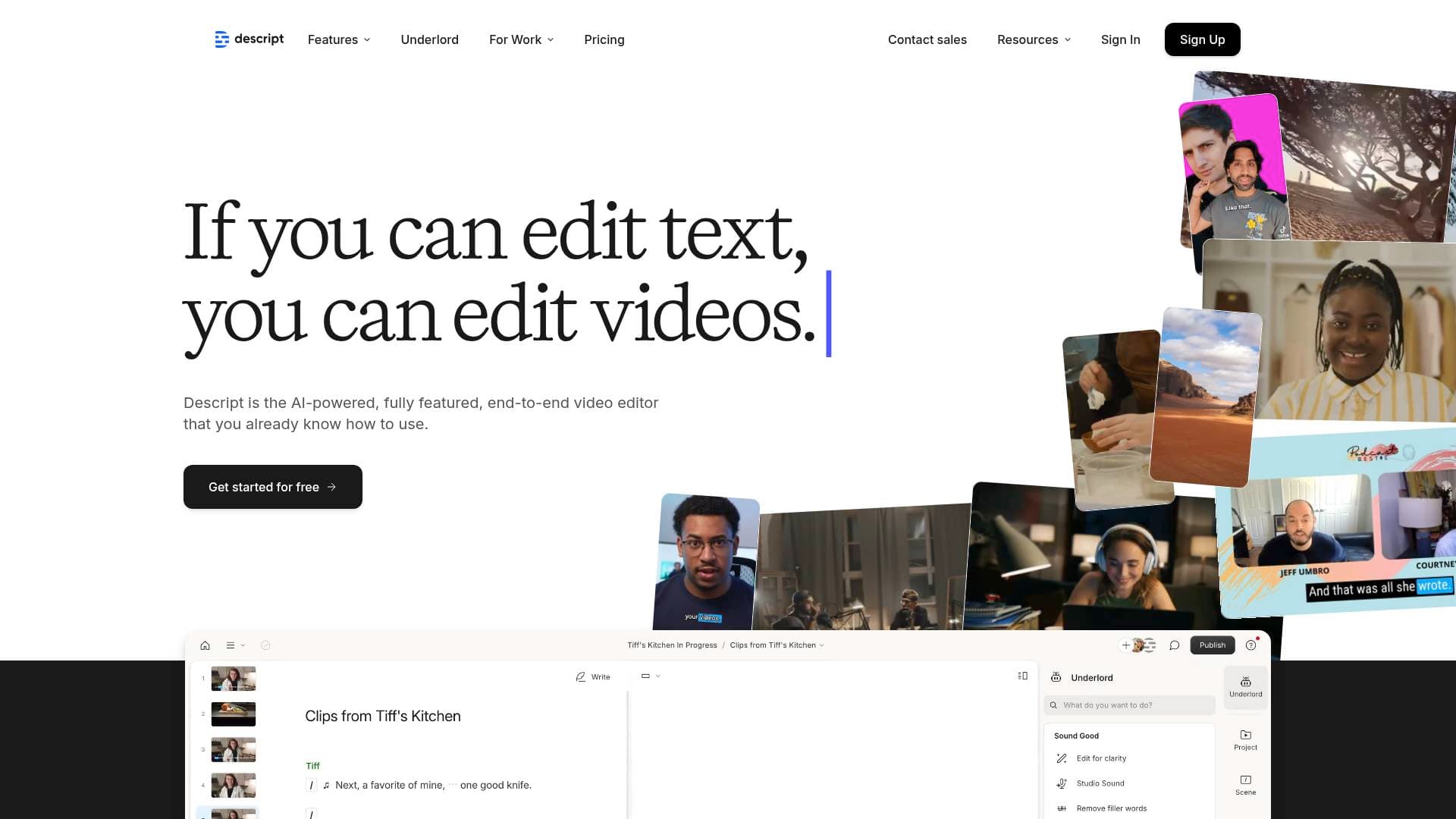
Brief Overview of Descript for Content Creators
Descript is a browser-based video editing tool built around one core idea: editing video should be as simple as editing a document. Instead of scrubbing through a timeline frame by frame, creators upload their footage, get an instant transcript, and then cut, rearrange, or rewrite their content by editing the text. This approach to the content creation workflow fundamentally changes how fast a video goes from raw recording to finished product. The platform covers everything from podcast production to YouTube videos, TikTok clips, Instagram Reels, and tutorial content, making it a genuine all-in-one video production tool. At its center is Underlord, an AI co-editor that can write scripts, generate video, design layouts, and make edits based on plain-language prompts. Descript also handles audio deeply, with tools to add music, sound effects, and voiceovers, remove background noise, eliminate filler words, and even clone a creator's voice. With more than 6 million creators and teams using the platform, and a 4.6-out-of-5-star rating on G2, it has established itself as a recognized standard in the video and podcasting world. A free plan is available with no credit card required, and paid plans scale from $16/month up to $50/month per person (billed annually).
Descript Key Features for Content Creators
-
Text-Based Video Editing: The core of Descript's video editing tool is transcript-driven editing. Upload an MP4, AVI, MOV, or other supported file and the platform generates an instant transcript. Deleting words from the transcript removes the corresponding video and audio, while rearranging sentences rearranges the footage. Creators who used to spend hours in a timeline can cut editing time to a fraction of what it was before.
-
Underlord AI Co-Editor: Underlord is Descript's built-in AI agent that can generate scripts from a prompt, give feedback on existing scripts, design video layouts, create B-roll, and make edits on command. On the Creator plan, creators get full access to Underlord plus 20+ additional AI tools. It functions like a tireless creative collaborator that works until the result is right.
-
Add Audio to Video (Music, Voiceovers, Sound Effects): Creators can layer background music, voiceovers, and sound effects directly onto their footage in the browser. Supported audio formats include MP3, WAV, and AAC. The properties panel lets creators adjust EQ settings, balance music volume under dialogue, and replace original audio tracks entirely. A built-in stock library provides royalty-free background music and sound effects for immediate use.
-
AI Voice Generation and Voice Cloning: Descript generates natural-sounding narration from text using AI voices, with 25+ stock AI speakers on the Hobbyist plan and 60+ on the Business plan. Creators can also clone their own voice, meaning if a line needs to be corrected or added after filming, they can simply type the new text and let the AI regenerate the audio in their voice. No reshooting required.
-
Studio Sound (AI Audio Enhancement): Studio Sound uses regenerative AI to remove background noise and enhance voice quality with a single click. No professional microphone or soundproofed room needed. This is especially useful for creators recording in less-than-ideal environments who still want broadcast-quality audio.
-
Remove Filler Words: AI automatically identifies and removes "um," "uh," "like," "you know," and other filler words from recordings. It also handles repeated words and can shorten or cut silences and gaps in conversation. The result is tighter, more professional-sounding content without manual scrubbing.
-
Video Translation and Dubbing in 30+ Languages: Descript translates voiceovers, captions, and even lip-syncs video in 30 languages. The AI adjusts mouth movements to match the translated audio, so the video looks like it was recorded natively in each language. Captions can be translated into 61 languages. A "Do Not Translate" list in Brand Studio protects channel names, branded terms, and other words that should stay untouched.
-
Automatic Captions with Full Customization: Captions are generated automatically from the transcript and stay synced even when footage is trimmed. Creators can customize font, color, word highlighting, positioning, and background to match their brand. Captions can be applied to the entire video or to specific segments only.
-
AI Green Screen and Eye Contact Correction: The Green Screen tool removes backgrounds from video without a physical green screen or chroma key setup. Eye Contact correction uses AI to adjust a creator's gaze so it appears they're looking directly into the camera, even when reading from a script or teleprompter. Both tools are available on paid plans.
-
Viral Clip Creation: Underlord identifies the moments in longer videos most likely to perform well as short-form clips, then uses text-based editing to package them. This makes repurposing a long podcast episode or YouTube video into TikTok, Instagram Reels, or YouTube Shorts content much faster.
-
Royalty-Free Stock Media Library: The Creator plan and above include unlimited access to a built-in library of royalty-free background music, sound effects, B-roll video clips, and images. Free and Hobbyist plans have limited search results per query.
-
Remote Recording with Automatic Project Setup: Descript includes a remote recording feature that supports up to 10 room participants, with cloud backup recordings for every session. Each session is automatically imported, transcribed, and configured in a sequence, removing the manual setup step that typically follows a remote podcast or interview recording.
Descript Target Users & Use Cases for Content Creators
Descript is built for creators who produce video or audio content regularly and want to spend less time on technical editing. It works equally well for solo creators and small teams of up to 5 people on the Creator and Business plans respectively.
Primary creator types:
- YouTubers and video creators who want to cut editing time and produce more content per week
- Podcasters (audio and video) who need transcription, editing, and promotional clip creation in one place
- TikTokers and short-form creators who repurpose longer content into platform-ready clips
- Tutorial and course creators who need clean narration, captions, and professional audio without a studio setup
- Newsletter writers and bloggers who want to add video content to their output without a steep learning curve
- Multilingual creators targeting international audiences across multiple language markets
Experience level: Descript is accessible to beginners (no technical skills required, as noted by users) while offering enough depth for experienced video editors who want AI assistance.
Team size: Solo creators work well on the Free or Hobbyist plan; small creator teams of 2-3 fit the Creator plan; larger creator operations with up to 5 people suit the Business plan.
Specific use cases for content creators:
- Editing a podcast episode by deleting filler words and awkward pauses directly from the transcript
- Adding royalty-free background music to a YouTube video without leaving the editor
- Generating a voiceover for a tutorial using a cloned version of the creator's own voice
- Translating a YouTube video into Spanish, French, and Japanese to reach new audiences
- Creating 5-10 short clips from a 60-minute podcast episode using AI-powered clip detection
- Recording a remote interview with a guest and having it automatically transcribed and set up as a project
- Adding animated captions to Instagram Reels with custom brand fonts and colors
- Correcting a mispronounced word in a recorded video by typing the correction and using Regenerate to fix the audio and mouth movement
How to Get Started with Descript
- Create a free account at Descript's website with no credit card required. The Free plan includes 1 media hour per month, 100 AI credits, and watermark-free 720p export.
- Start a new project and drag in your video file (MP4, AVI, MOV) or audio file (MP3, WAV, AAC). Descript will automatically transcribe the content.
- Edit using the transcript by deleting words, rearranging sentences, or using CMD/CTRL+K to add audio layers. Use the properties panel to adjust EQ, add music, or apply Studio Sound.
- Apply AI tools as needed: remove filler words, add captions, clone your voice, or ask Underlord to create clips or suggest edits.
- Publish or export as an MP4 for upload to YouTube, TikTok, or Instagram, or share via a link directly from Descript.
Frequently Asked Questions About Descript
Is Descript free to use? Descript offers a free plan at $0/month that includes 1 media hour per month, 100 AI credits, 720p watermark-free export, and limited access to Underlord and AI tools. No credit card is required to get started.
What video and audio formats does Descript support? Descript supports popular video formats including MP4, AVI, and MOV, and audio formats including MP3, WAV, and AAC. Creator and Business plans support advanced media formats like Apple ProRes and QuickTime RLE, with file sizes up to 20GB and 50GB respectively.
Can I replace or remove the original audio in a video? Yes. Creators can remove or replace the original audio track entirely and swap in new music, narration, or updated sound in just a few steps. It's also possible to lower background music volume under dialogue for better balance.
How does video translation work in Descript? Descript's AI translates voiceovers and captions into 30 languages for audio dubbing and 61 languages for caption translation. The AI also adjusts lip sync so the video looks like it was recorded in the target language. A "Do Not Translate" list protects branded terms from being changed.
What are AI credits and how are they used? AI credits track usage of AI features including Underlord, Studio Sound, Green Screen, Eye Contact, and AI-generated media and avatars. The Free plan includes 100 one-time credits; Hobbyist gets 400/month; Creator gets 800/month plus 500 bonus credits; Business gets 1,500/month plus 1,000 bonus credits.
Can Descript clone my voice? Yes. Custom voice clones are available on the Hobbyist plan and above. Creators can generate an AI version of their own voice that produces speech from text, which is useful for correcting mistakes, adding new lines, or generating narration without re-recording.
Does Descript work in the browser without downloading software? Descript works online in the browser, so creators can edit video and audio without downloading extra software or tools.
What export resolutions are available? The Free plan exports at 720p; Hobbyist exports at 1080p; Creator and Business plans export at 4K. All paid plans export watermark-free.
Does Descript offer special pricing for students and educators? Yes, Descript offers special rates for students, educators, and non-profits through a dedicated application form.
Bottom Line: Should Content Creators Choose Descript?
Descript is a strong choice for content creators who produce video or audio regularly and want to cut down on editing time without sacrificing quality. The text-based editing approach is genuinely different from traditional timeline editors and delivers real speed gains. Users report cutting editing time to one-quarter of what it previously took, which translates directly into more content output.
The platform is particularly well-suited for podcasters, YouTubers, tutorial creators, and anyone producing content for multiple platforms. The combination of audio tools (Studio Sound, filler word removal, voice cloning, music layering), video tools (AI green screen, eye contact, captions, translation), and AI assistance (Underlord, Quick Design, clip creation) covers most of what a solo creator or small team needs in a single tool.
The main consideration is the credit and media hour system, which limits AI feature usage based on plan tier. Creators with high-volume output will want to evaluate whether the Creator plan's 30 media hours and 800 AI credits per month fit their workflow, or whether top-ups will be needed.
For creators just starting out, the free plan is a genuine no-risk entry point. For those producing content consistently, the Creator plan at $24/month (billed annually) offers the best balance of AI tools, 4K export, unlimited stock media access, and 30+ media hours per month. Descript earns its reputation as a go-to video editing platform for the creator economy.
Details
One link. Every channel, rate, and piece of work brands need to evaluate you. Built for how creators actually get hired.
Claim your profile
Live creator, content, and marketing roles from real companies, with the pay, market, and context the raw job page never gives you.
Browse jobs

 Post Bridge