

Crowd Control
Crowd Control is a free interactive streaming tool that lets viewers send real-time effects into gameplay and streams on Twitch, TikTok, YouTube, and more.
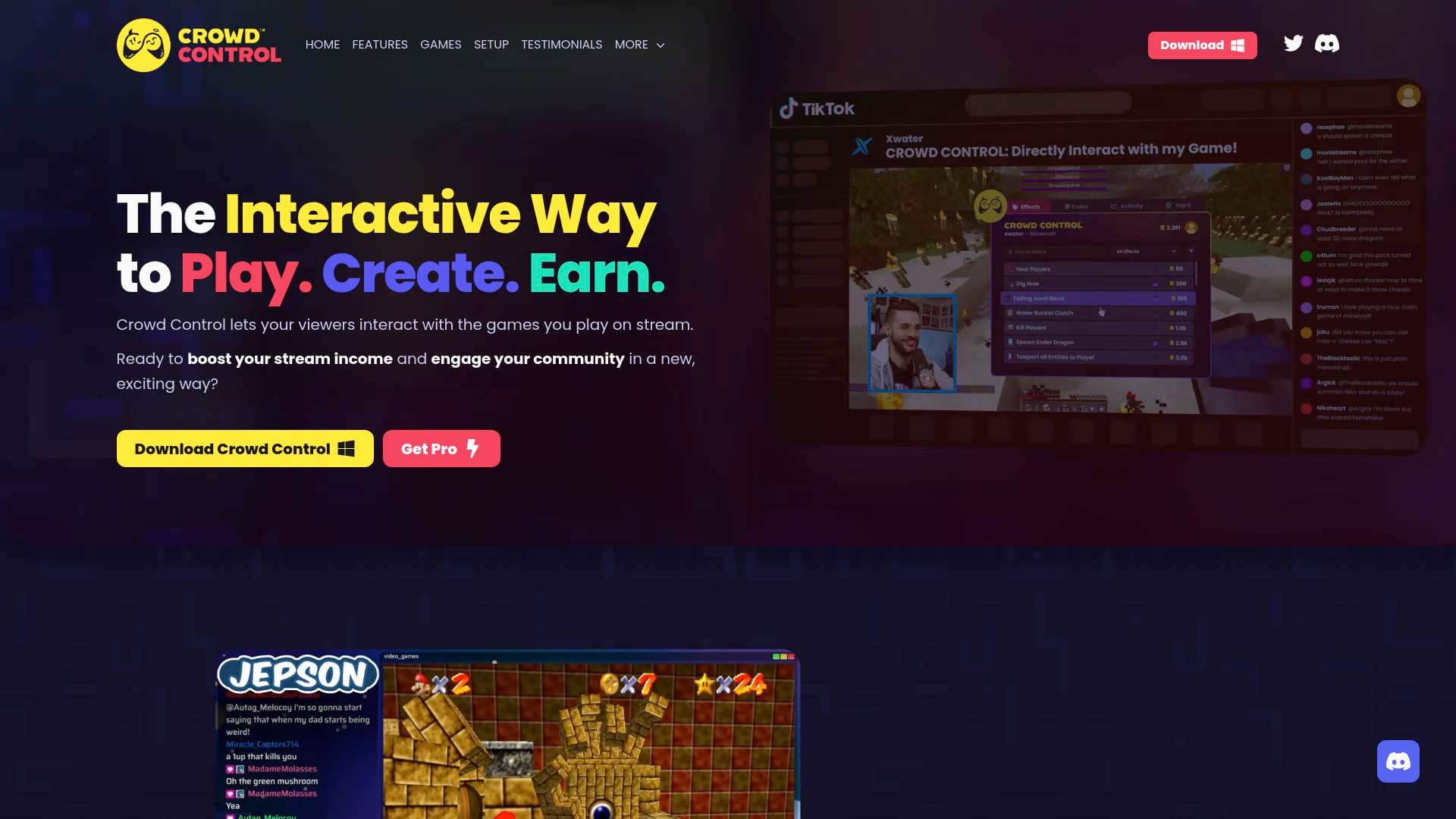
Brief Overview of Crowd Control for Content Creators
Crowd Control is a free interactive streaming tool built specifically for live streamers who want to turn passive viewers into active participants. Rather than watching from the sidelines, a streamer's chat can directly influence what happens on screen, whether that means spawning enemies, flipping controls, triggering audio and video disruptions, or causing full-on gameplay chaos. The platform solves one of the most persistent challenges in live content creation: keeping an audience engaged long enough to build a loyal, active community. With support for Twitch, TikTok, YouTube, and other platforms, Crowd Control works across the major streaming destinations creators already use. Its core technology connects viewer-purchased effects directly into supported games or through its always-on "Disrupts" system, which works regardless of what a streamer is playing or doing. Over 67,000 streamers have joined the platform, and more than 8.7 million effects have been sent to date. Perhaps most compelling for creators thinking about monetization, data from a Streamlabs partnership points to a 1.8x income boost for streamers using the tool. For any live streaming software setup focused on audience growth and revenue, Crowd Control offers a genuinely unique layer of interactivity.
Crowd Control Key Features for Content Creators
-
Game Packs: Crowd Control's curated Game Packs allow viewers to send specific effects directly into supported games. For a game like Grand Theft Auto V, that means viewers can spawn vehicles, control NPCs, blow up cars, give guns, and more, turning a regular GTA session into unpredictable, clip-worthy chaos. For Super Mario Bros, the effect list includes over 40 options ranging from spawning enemies like Lakitu and Hammer Brothers to inverting the D-Pad, triggering Water Mode, or skipping entire worlds.
-
Disrupts: For streamers who play games not covered by a dedicated Game Pack, or who simply hang out, do art streams, or create personality-driven content, Disrupts provides always-on viewer interactions. Streamers can use pre-made Disrupt Packs (including options like Jumpscares and Glitches) or upload their own custom video and audio files organized into separate packs for easy access.
-
Custom Disrupt Packs: Beyond the team-curated options, creators can build entirely personalized Disrupt libraries by uploading their own files. This gives streamers full creative control over what their audience can trigger, making the interactive experience feel native to each creator's brand and community.
-
Multi-Platform Support: Crowd Control works on Twitch, TikTok, YouTube, and other streaming platforms. Dedicated feature sets exist for Twitch and TikTok specifically, while a general features tier covers streaming elsewhere, meaning creators are not locked into a single platform to benefit from the tool.
-
Effect Pricing and Customization: Streamers can hand-pick which effects are available, set their own pricing for each effect, and configure moderation options to fit their community's vibe. This level of control means a creator can dial up or dial down the chaos depending on their audience and content style.
-
Monetization Integration: Crowd Control functions as a direct monetization layer on top of live streams. Viewers spend coins to trigger effects, and that spending flows back to the streamer. Real-world testimonials describe income jumping from $20 days to over $200 in a single session, and the Streamlabs data citing a 1.8x income boost underscores the revenue potential.
-
Disrupts Roadmap: The platform is actively developing new Disrupt types beyond video and audio, with Display, Keybind, Gamepad, and Microphone Disrupts in the pipeline, along with fully interactive coded experiences. Creators who adopt the tool now are investing in a platform with a publicly shared development roadmap.
-
Discord Community and Support: A dedicated Discord server serves as the primary support hub, where creators can get help, ask questions, and connect with the broader Crowd Control community. The team is also available for one-on-one calls for creators who want personalized guidance before getting started.
-
Account Protection System: Crowd Control uses a multi-signal system to protect creators and their communities from spam, abuse, and exploit patterns. The system monitors device fingerprints, activity relationships, overlapping usage patterns, and account connections to keep the ecosystem fair for legitimate streamers.
Crowd Control Target Users & Use Cases for Content Creators
Crowd Control is built for live streamers first and foremost, but its Disrupts system has expanded its relevance to any creator who goes live, regardless of content type. The tool is accessible enough for newer streamers looking to grow their audience and deep enough for experienced creators who want to add a revenue layer to their existing broadcast setup.
- Primary creator types: Twitch streamers, TikTok live creators, YouTube live streamers, gaming content creators, IRL streamers, art streamers, and personality-driven live creators
- Experience level: Suitable for beginner to advanced streamers; setup is described as easy and stress-free, with the ability to be playing Minecraft with chat within minutes of downloading
- Specific use cases:
- A Twitch gaming streamer running GTA V sessions where viewers spawn dump trucks, trigger teleports, and blow up vehicles for clip-worthy moments
- A retro gaming streamer playing Super Mario Bros with chat controlling enemy spawns, music changes, and palette swaps in real time
- A variety streamer using Disrupts to let viewers trigger jumpscares or glitch effects during non-game content like Phasmophobia sessions or Fortnite streams
- A creator building a Friday night recurring stream format around viewer chaos as a consistent content pillar
- A streamer using Crowd Control's monetization layer to convert high-engagement moments into direct income through viewer coin purchases
- An artist or personality streamer using custom Disrupt Packs to create a branded interactive experience unique to their channel
- A growing streamer using the tool to generate shareable, clippable moments that perform well in short-format content on TikTok or YouTube Shorts
How to Get Started with Crowd Control
- Download the app: Crowd Control is available as a free download at crowdcontrol.live. No payment or subscription is required to get started.
- Connect your streaming platform: Link your Twitch, TikTok, YouTube, or other streaming account to enable viewer interactions during live broadcasts.
- Choose your Game Pack or set up Disrupts: Browse the supported games library to find a Game Pack for your title, or set up a Disrupt Pack using pre-made options or your own uploaded files.
- Customize effects and pricing: Hand-pick which effects viewers can trigger, set coin prices for each, and configure moderation settings to match your community's preferences.
- Go live: Start streaming and let your viewers begin sending effects. According to the platform, new users can be up and running with chat interactions in just a few minutes.
Frequently Asked Questions About Crowd Control
Is Crowd Control free to use? Yes, Crowd Control is completely free to use. There are no subscription fees or paywalls mentioned for accessing the core interactive features.
What streaming platforms does Crowd Control support? Crowd Control supports Twitch, TikTok, and YouTube, along with other streaming platforms through its general features tier. Twitch and TikTok each have dedicated feature sets built specifically for those platforms.
Do I need to be playing a specific game to use Crowd Control? No. While Game Packs are available for specific supported titles, the Disrupts system works for any stream, whether that is a game without a dedicated pack, an art stream, or a personality-based broadcast.
Can I customize which effects my viewers can trigger? Yes. Streamers can hand-pick effects, set their own pricing for each effect, and configure moderation options to tailor the experience to their specific community.
What happens if my account gets flagged as an alternate account? Crowd Control uses signals like device fingerprints and usage patterns to detect potential abuse. If an account is incorrectly flagged, creators can appeal through the Discord support system by creating a private ticket in the #questions-n-help channel. Being flagged does not result in a ban, and some actions may be temporarily limited while the review is pending.
What types of Disrupts are currently available? At launch, Disrupts supports Video and Audio disruptions. Future updates on the public roadmap include Display, Keybind, Gamepad, and Microphone Disrupts, as well as fully interactive coded experiences.
Where can I get help if I run into issues? The primary support channel is the Crowd Control Discord server, where creators can ask questions and open private support tickets. The team also offers the option to schedule a one-on-one call for creators who want direct assistance.
Bottom Line: Should Content Creators Choose Crowd Control?
For live streamers looking to build a more engaged community and generate additional income from their broadcasts, Crowd Control is a compelling, zero-cost addition to any streaming setup. The combination of Game Packs for specific titles, the always-on Disrupts system for any content type, and the built-in monetization layer through viewer coin purchases makes it genuinely versatile. Streamers on Twitch will find the deepest feature integration, but TikTok and YouTube live creators are also supported. The 1.8x income boost figure and real streamer testimonials describing dramatic revenue increases in single sessions add credibility to the monetization claims. The main consideration is that Game Pack availability depends on which titles are supported, so creators who play niche or newer games may need to rely on Disrupts until additional packs are developed. Overall, Crowd Control is a strong pick for any gaming streamer, variety creator, or live personality who wants to turn their chat from spectators into active participants, and do it without spending a dollar upfront.
Details
One link. Every channel, rate, and piece of work brands need to evaluate you. Built for how creators actually get hired.
Claim your profile
Live creator, content, and marketing roles from real companies, with the pay, market, and context the raw job page never gives you.
Browse jobs

 Post Bridge