

Cosmic JS
Cosmic JS is a headless CMS that lets content creators manage, generate, and deliver content across websites and mobile apps from one dashboard, with built-in AI agents.
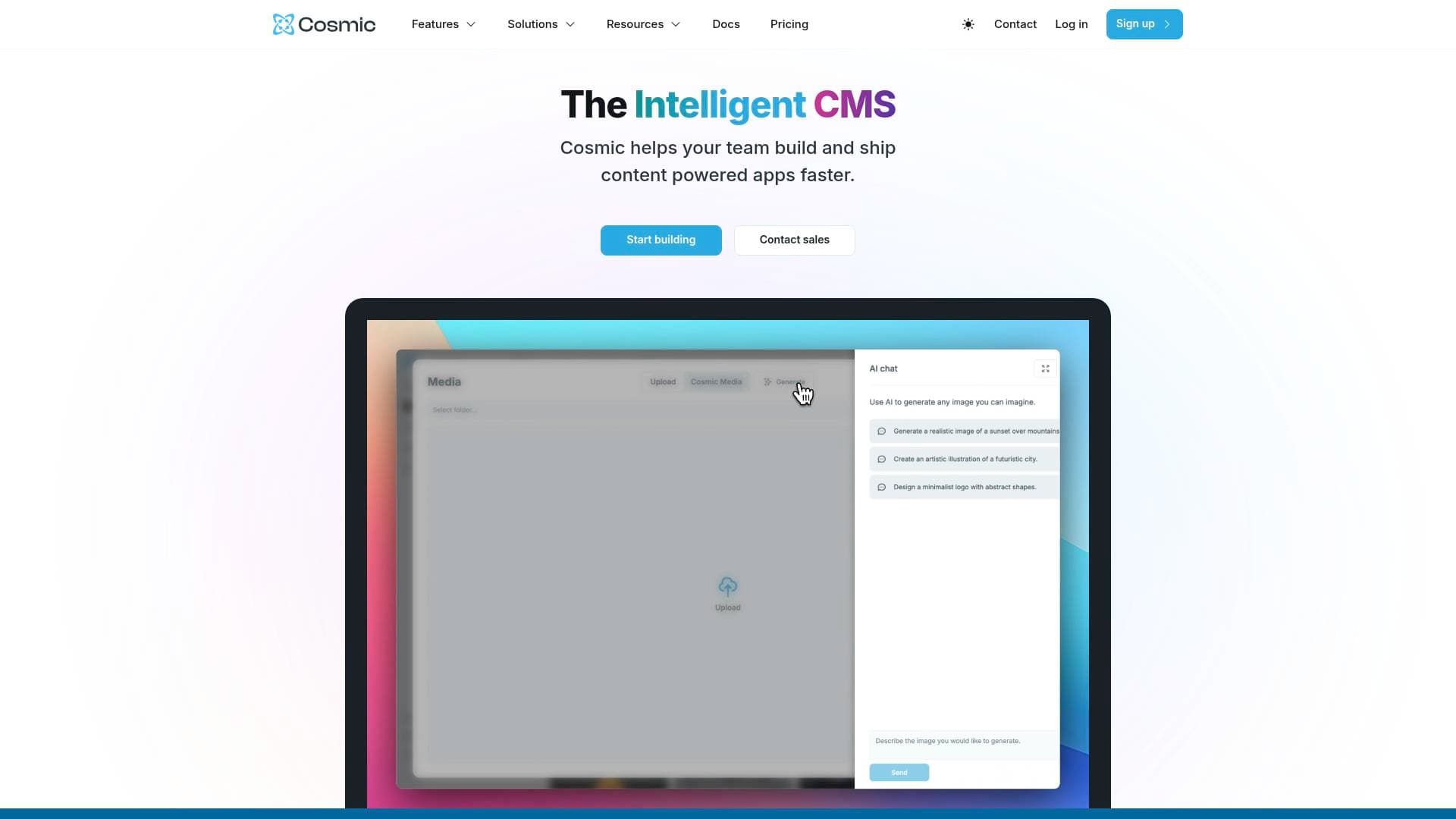
Brief Overview of Cosmic JS for Content Creators
Cosmic JS is a headless CMS built for content creators and developers who need to manage and publish content across websites, mobile apps, and digital experiences from a single dashboard. The core problem it solves is simple but painful: maintaining separate content systems for iOS apps, Android apps, and websites creates redundancy, slows down publishing, and fragments your content workflow. Cosmic JS eliminates that by letting creators structure content once and deliver it everywhere. What makes this headless CMS platform genuinely interesting for creators is the addition of Cosmic AI, a suite of AI-powered agents that can generate blog posts, translate content, write production code, and even automate browser tasks like cross-posting videos between TikTok, YouTube Shorts, and Instagram Reels. The platform is free to start with no credit card required, and it supports frameworks including Next.js, React, Vue.js, Astro, and Gatsby. For creators building their own apps, newsletters, blogs, or multi-platform content hubs, Cosmic JS positions itself as a content management platform that can go from idea to deployed production app in minutes using its CLI and AI tooling.
Cosmic JS Key Features for Content Creators
-
Single Dashboard for All Platforms: Content created in Cosmic JS is structured once and delivered to both mobile apps (iOS and Android) and websites simultaneously. This means a blogger or content creator running both a website and a companion app never has to duplicate their work or maintain two separate systems.
-
Cosmic AI Content Generation: The platform includes AI-powered content generation that can produce blog posts, product descriptions, social media content, email campaigns, summaries, and SEO-optimized copy from natural language prompts. Creators can generate an entire 5-part blog series researched from sources like Hacker News and TechCrunch with a single prompt.
-
Three Specialized AI Agents: Cosmic JS offers three purpose-built AI agents. The Content Agent creates and manages CMS content autonomously, including batch operations and auto-publish workflows. The Code Agent connects to GitHub repositories, writes production-ready code, creates branches, and opens pull requests. The Computer Use Agent controls browsers like a human, enabling tasks like recording demo videos, cross-posting media between platforms, and extracting structured data from the web.
-
AI Workflows with Multi-Step Automation: Creators can chain multiple AI agents together into automated workflows that run on schedules or via webhooks. A workflow can run in sequence or in parallel steps, turning what might take 2-3 weeks of manual work into roughly 20 minutes of automated execution. This is particularly powerful for creators launching new content sites or product catalogs.
-
Cosmic CLI for Terminal-Based Creation: The Cosmic CLI lets creators go from zero to a deployed production app directly from the terminal. Commands like
cosmic buildgenerate a full-stack Next.js app with content wired in, andcosmic deployships it to a live URL. The CLI supports AI-powered project generation, GitHub repo creation, and Vercel deployment management. -
AI Auto-Translation and Localization: Content localization is built into the AI layer. Creators can write content once and generate translated versions in a few clicks, making it practical to reach global audiences without hiring translators for every piece of content.
-
AI-Generated Alt Text in Bulk: Cosmic JS handles the tedious task of writing image alt text automatically. Creators can bulk upload images and have AI generate and update alt text across their entire media library, which matters both for accessibility and SEO.
-
Media Chat and Asset Insights: A distinctive AI feature lets creators chat directly with their media assets. PDFs, spreadsheets, and documents stored in the CMS can be queried conversationally to extract summaries and insights, which is useful for creators who store research materials, brand kits, or press kits inside their CMS.
-
Webhooks and Automated Workflows: Beyond AI, Cosmic JS supports webhooks that trigger real-time notifications and workflow automation whenever content changes. This is useful for creators who want to automatically notify newsletter subscribers, trigger social posts, or update connected apps when new content publishes.
-
Enterprise-Grade Security and Global CDN: The platform includes 256-bit SSL encryption, two-factor authentication, audit logs, API key management, and a global CDN with edge caching and a 99.9% uptime SLA across 150+ countries. For creators building audience-facing apps, this means content loads fast and stays secure worldwide.
-
Role-Based Access and Team Collaboration: Multi-project workspace management with granular permissions lets creators bring on editors, developers, or collaborators without giving everyone full admin access. Content updates that previously took 1-2 weeks to move through development can be published in real-time according to users of the platform.
Cosmic JS Target Users & Use Cases for Content Creators
Cosmic JS is built for content creators who are either technically inclined or working alongside developers, and who need their content to reach audiences across multiple platforms simultaneously. It suits solo creators building their own apps and websites as much as it suits small teams where one person handles content and another handles code.
-
Primary creator types: Bloggers and newsletter writers who want a structured, API-driven content backend; app creators building companion mobile apps for their content brand; YouTubers or podcasters who maintain both a website and a mobile app for their audience; creators building multi-language content for global audiences; and technically adventurous creators who want AI to handle content production at scale.
-
Experience level: The intuitive web dashboard is accessible to non-technical content editors, while the CLI, API, and SDK tools cater to developers and creator-developers. The AI layer lowers the barrier for creators who want to build apps without deep coding knowledge.
-
Team size: Works for solo creators through to larger content teams, with role-based permissions supporting collaboration without bottlenecks.
-
Specific use cases:
- A blogger building a Next.js or Astro site who wants AI to generate SEO-optimized posts and manage media in one place
- A podcaster launching an iOS and Android companion app who needs one content source feeding both the app and the website
- A creator with a global audience using AI auto-translation to publish content in multiple languages without manual translation workflows
- A YouTuber using the Computer Use Agent to automatically cross-post videos from TikTok to YouTube Shorts and Instagram Reels with optimized captions
- A creator building a portfolio or professional site using community project templates that can be cloned and customized
- A content creator running a product or ecommerce store who needs AI to generate product descriptions and catalog entries at scale
- A creator-developer using the Code Agent to build new features in their GitHub repo and deploy updates without leaving the Cosmic ecosystem
- A creator managing a knowledge base or documentation site who needs real-time publishing without developer bottlenecks
How to Get Started with Cosmic JS
-
Sign up for free: Create an account at Cosmic JS with no credit card required. The free tier is described as free forever, making it accessible to creators at any stage.
-
Install the CLI: Run
npm install -g @cosmicjs/cliin your terminal, then authenticate withcosmic loginusing your account credentials. -
Create a project with AI: Use
cosmic projects createto spin up a new project. The CLI uses AI to generate a content model based on your project description, so you can describe a "recipe blog" or "portfolio site" and get a structured content schema automatically. -
Generate and build your app: Run
cosmic build -p "your app description"and the CLI generates a full-stack Next.js application with your CMS content already wired in and pushed to a GitHub repository. -
Deploy to production: Use
cosmic deploy start --watchto ship your project live. The platform handles Vercel deployment, domain management, and DNS configuration.
Frequently Asked Questions About Cosmic JS
Is Cosmic JS free to use? Yes, Cosmic JS offers a free forever plan with no credit card required to get started. Creators can begin building immediately without any upfront cost.
Can Cosmic JS deliver content to both iOS and Android apps? Yes. Content created in the Cosmic JS dashboard can be consumed by iOS apps, Android apps, and websites using the same API. The content is structured once and delivered to all platforms, creating a single source of truth.
What AI capabilities does Cosmic JS include? Cosmic JS includes three AI agents: a Content Agent for generating and managing CMS content, a Code Agent for writing and deploying code to GitHub, and a Computer Use Agent for browser automation tasks. It also includes AI content generation, auto-translation, bulk alt text generation, media asset chat, and AI-generated content models.
Can Cosmic JS automatically cross-post content between social platforms? The Computer Use Agent is capable of downloading content from one platform (such as TikTok) and uploading it to others (such as YouTube Shorts and Instagram Reels) with platform-optimized captions and hashtags, all from a natural language prompt.
What frameworks does Cosmic JS support? Cosmic JS works with Next.js, React, Vue.js, Astro, Gatsby, and other frameworks through its API and open source SDKs.
How fast can content updates be published? According to users of the platform, content that previously took 1-2 weeks to move through development and deployment can be published in real-time with Cosmic JS.
Does Cosmic JS support team collaboration? Yes. The platform includes multi-project workspace management, role-based access control, granular permissions, audit logs, and AI chat history that team members can reference.
Bottom Line: Should Content Creators Choose Cosmic JS?
Cosmic JS is a strong fit for content creators who are building or managing multi-platform digital presences, particularly those who want their content to reach both web and mobile app audiences from a single system. The AI layer is genuinely differentiated: three specialized agents that can research and write content, build and deploy code, and automate browser tasks like social media cross-posting represent a meaningful step beyond basic CMS functionality.
The main advantages are the unified content model that feeds websites and mobile apps simultaneously, the AI-powered content creation and automation tools, the free forever entry point, and the CLI-driven workflow that can take a creator from idea to deployed production app in minutes. The platform also has a strong track record with real users reporting dramatic reductions in publishing time and a dashboard that non-technical editors can use without developer support.
The primary consideration is that Cosmic JS is most powerful when paired with some technical knowledge or a developer collaborator. Solo creators who are entirely non-technical may find the headless CMS model and CLI tools have a learning curve, though the AI agents and intuitive dashboard are designed to lower that barrier. For creators who are building apps, running content-heavy sites, or managing content across multiple platforms, Cosmic JS offers a content management workflow that scales from a single blog to a full multi-platform content operation.
Details
One link. Every channel, rate, and piece of work brands need to evaluate you. Built for how creators actually get hired.
Claim your profile
Live creator, content, and marketing roles from real companies, with the pay, market, and context the raw job page never gives you.
Browse jobs

 Post Bridge