

Builder.io
Builder.io is an AI frontend engineer platform that helps teams generate, iterate, and optimize web and mobile experiences in seconds instead of development sprints.
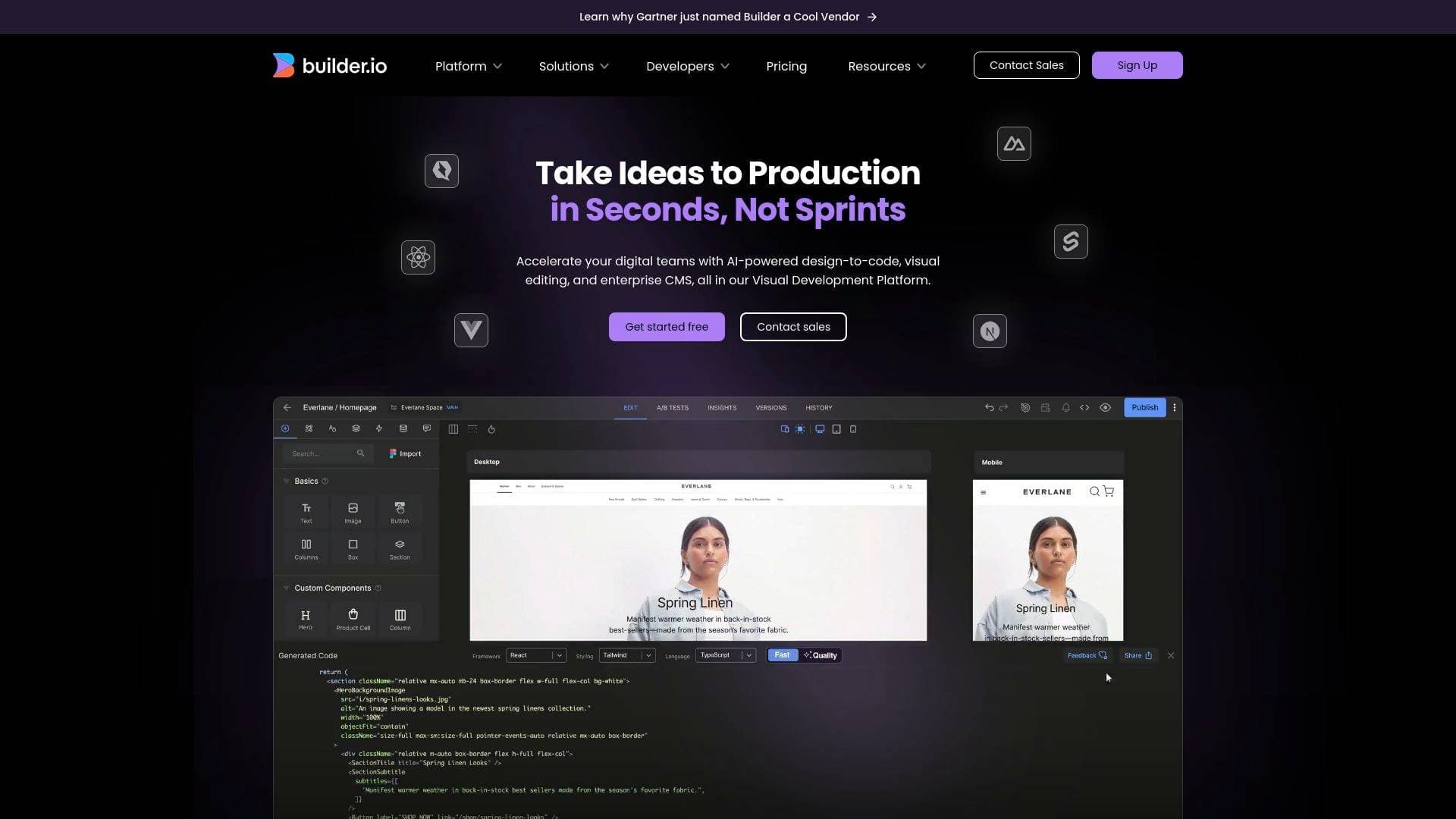
What is Builder.io? A Content Creator's Guide
Builder.io is an AI frontend engineer platform that helps teams generate, iterate, and optimize web and mobile experiences in seconds rather than waiting through entire development sprints. For content creators who run their own websites, manage brand partnerships, or need to ship landing pages and campaign content fast, the core problem Builder.io solves is the constant bottleneck between having a creative idea and actually getting it live. Instead of writing tickets, waiting on developers, and losing momentum, creators and their teams can build production-ready code directly from Figma designs, written specs, or even just a description of what they need. The platform operates as an AI product development tool that works on your actual codebase and design system, meaning the output isn't generic boilerplate but code that fits your real project from the start. It covers both web and mobile experiences, making it relevant for creators building audience platforms, membership sites, or content hubs across multiple surfaces. Two distinct products sit at the core: Fusion for code generation and app building, and Publish for headless CMS and content publishing via API. What sets Builder.io apart is the structured review workflow built into the process, where engineers approve every change before it ships, so speed never comes at the cost of quality.
Builder.io Features That Matter for Content Creators
-
Visual Copilot (Figma to Production): Builder.io includes a Visual Copilot feature that converts Figma designs into production-ready code in half the time. For content creators who work with designers on brand assets, landing pages, or campaign visuals, this eliminates the translation step between design and live web experience entirely.
-
Fusion - Code Generation from Scratch or Existing Repos: The Fusion product lets creators build apps and UIs from scratch, from Figma designs, or by connecting an existing GitHub repository. This means a creator's existing site doesn't need to be rebuilt from zero, the AI works with what's already there and extends it intelligently.
-
Publish - Headless CMS and Page Builder: The Publish product functions as a headless CMS and page builder that lets creators create, optimize, and publish on-brand content and experiences to any site or app via API. Content updates, campaign launches, and copy changes can go live without touching engineering resources.
-
Prototyping Connected to Real Data: Builder.io supports building functional prototypes that connect to APIs, backends, and real data. Content creators pitching sponsors, testing new content formats, or validating audience interest before full production can use these interactive demos for user testing or stakeholder presentations.
-
Simple UX/UI Updates Without Engineering: Copy changes, spacing fixes, layout tweaks, and visual inconsistencies can all be shipped without pulling developers off other work. For solo creators or small teams, this means keeping a website current and polished without constant dev requests or ticket queues.
-
Complex Front-End Development from Specs: Builder.io can turn Figma files, product requirement documents, or written specs into working UI that gets reviewed and merged by engineers. It also supports building multi-step workflows with error handling, which is useful for creators building membership flows, onboarding sequences, or gated content experiences.
-
A/B Testing and Personalization: The platform includes A/B testing and personalized experience orchestration. Creators running content experiments, testing different landing page headlines, or personalizing experiences for different audience segments can do this directly through Builder.io without custom development work.
-
Roles, Permissions, and Workflow Controls: Builder.io includes a roles and permissions system to control access for everyone on a team, along with rules and workflow controls for how content gets shipped. For creator businesses with writers, designers, and developers collaborating, this keeps the process organized and prevents accidental changes from going live.
-
SOC 2 Type II Compliance and Data Privacy: The platform is SOC 2 Type II compliant with enterprise-grade security standards, and explicitly does not train on your data. Creators handling audience data, subscriber information, or proprietary brand assets can work with confidence that their data stays private.
-
GitHub Integration, Figma Import, MCP Servers, and IDE Extensions: Builder.io connects directly to GitHub repositories and supports Figma import, MCP Servers, and extensions for both Cursor and VS Code. Creators or their developers who already live in these tools can integrate Builder.io into existing workflows without switching contexts.
Which Content Creators Should Use Builder.io?
Builder.io is best suited for content creators who have outgrown simple website builders and need more control over their web presence without hiring a full engineering team. It bridges the gap between creative vision and technical execution, making it particularly powerful for creators who are scaling their platforms or running time-sensitive campaigns. Both solo creators with some technical comfort and larger creator teams with dedicated developers will find value here.
Primary creator types:
- YouTubers and video creators building dedicated content hubs, merchandise stores, or membership sites who need to ship new pages quickly around video launches
- Bloggers and newsletter writers who manage content-heavy websites and need to update layouts, run experiments, or launch campaign landing pages without developer dependencies
- Podcasters building audience platforms with episode archives, sponsor landing pages, or community membership flows
- Course creators and educators who need to build and iterate on enrollment pages, onboarding flows, and personalized learning experiences
- Social media managers and brand creators who run multiple content properties and need to keep all of them current without bottlenecking on engineering
Experience level: Builder.io is designed so that non-technical team members (writers, marketers, content managers) can handle copy updates and campaign launches independently, while developers retain control over code quality through the built-in review and approval workflow. It's not a no-code tool for complete beginners, but it dramatically reduces how often creators need to involve developers for routine updates.
Team size: Works for solo creators who occasionally work with freelance developers, as well as creator businesses with product, design, engineering, and content teams all collaborating in one workflow.
Specific use cases for content creators:
- Launching a new landing page for a brand deal or sponsorship campaign in hours rather than days
- Converting a Figma mockup of a new website section directly into live code
- Running A/B tests on homepage layouts or call-to-action copy to improve audience conversion
- Building personalized content experiences for different audience segments
- Shipping 100+ personalized pages at scale (as demonstrated by real users on the platform)
- Updating site copy, fixing visual inconsistencies, or adjusting layouts immediately after spotting issues, without creating developer tickets
- Building interactive prototypes to pitch to sponsors, investors, or collaborators before committing to full production
- Managing content updates across multiple brand properties or content channels from a single platform
Builder.io FAQ for Content Creators
Does Builder.io work with existing codebases and repositories? Yes. Builder.io connects directly to GitHub repositories and builds on your real codebase, design system, and tech stack. Creators don't need to start from scratch; the AI works within the existing project structure to produce production-ready output.
Can non-technical team members use Builder.io independently? Content teams can manage copy updates, roll out site-wide changes, and launch campaigns without involving engineering. The platform is specifically designed so that different roles, including content, design, product, and engineering, can all work within one workflow, with engineers retaining final approval before anything ships.
What are the two main products inside Builder.io? Fusion handles code generation and lets teams build apps and UIs from scratch, from Figma designs, or from existing repositories. Publish is the headless CMS and page builder product that handles creating, optimizing, and publishing content to any site or app via API.
Does Builder.io support A/B testing and personalization? Yes. The platform includes A/B testing and personalized experience orchestration, allowing creators to test different content variations and build experiences that adapt to user preferences to improve adoption and retention.
Is data kept private and not used for AI training? Builder.io explicitly does not train on your data. The platform is also SOC 2 Type II compliant with enterprise-grade security and privacy standards built in.
How does the review and approval process work? Engineers approve every change before it ships. Guardrails and structured review are built directly into the workflow, so speed of generation doesn't bypass quality control. Teams can also use git-managed workflows for full version control.
What integrations does Builder.io support for developers? Builder.io supports GitHub repository connections, Figma import, MCP Servers, and extensions for both Cursor and VS Code, fitting into developer workflows without requiring a separate tool context.
The Verdict: Is Builder.io Worth It for Content Creators?
Builder.io is a strong fit for content creators who are serious about their web presence and tired of the constant back-and-forth with developers to make routine updates or launch new campaigns. The combination of AI code generation, a visual headless CMS, Figma-to-production conversion, and built-in A/B testing covers most of what a growing creator business needs to move fast without sacrificing quality. Real-world results from users on the platform include shipping new pages in minutes rather than days, launching 100+ personalized pages in a month, and achieving 2x faster time to market, outcomes that translate directly to creator businesses running time-sensitive content campaigns or sponsorship activations.
The platform is most valuable when there's at least some developer involvement available for the review and approval step, since engineers are part of the built-in workflow. Pure solo creators with zero technical background may find the learning curve steeper than a simple drag-and-drop website builder. But for creators who have a developer on retainer, a small technical team, or some coding comfort themselves, Builder.io meaningfully reduces how much engineering time gets consumed by routine content and UI work. The data privacy guarantees and SOC 2 compliance are meaningful bonuses for creators handling audience or subscriber data. Overall, Builder.io delivers a compelling web development workflow tool for content creators ready to scale their digital presence without scaling their engineering costs proportionally.
Details
One link. Every channel, rate, and piece of work brands need to evaluate you. Built for how creators actually get hired.
Claim your profile
Live creator, content, and marketing roles from real companies, with the pay, market, and context the raw job page never gives you.
Browse jobs

 Post Bridge