

Jekyll
Jekyll is a static site generator that transforms plain text and Markdown into fully deployable websites and blogs, with free hosting via GitHub Pages.
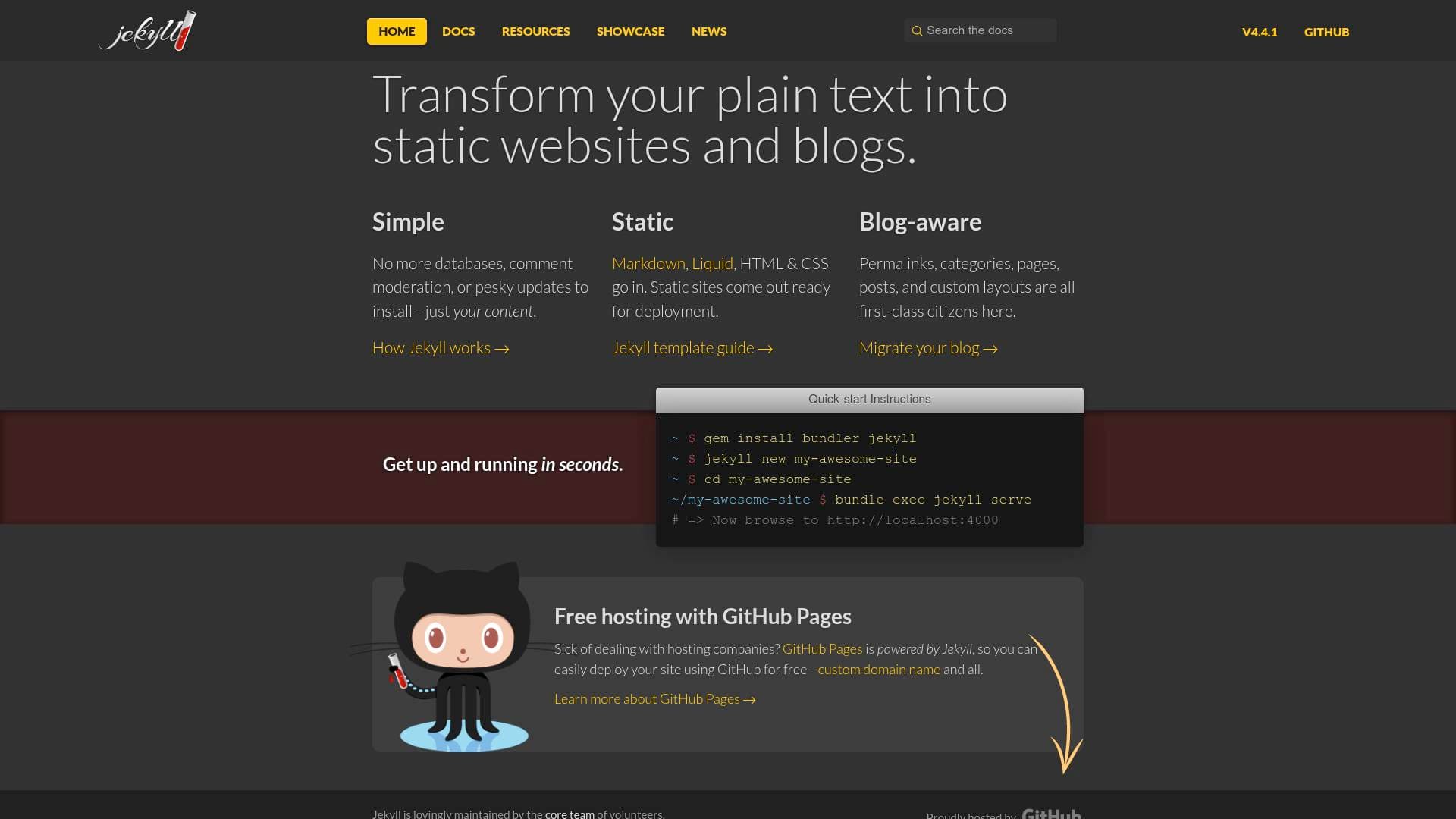
Brief Overview of Jekyll for Content Creators
Jekyll is a static site generator built specifically for bloggers and content creators who want a fast, clean website without the overhead of databases, comment moderation systems, or constant software updates. At its core, it solves one of the most persistent headaches in the blogging world: the complexity of traditional content management systems. Instead of wrestling with server-side databases and plugin update cycles, creators write their content in plain text or Markdown, and Jekyll converts it into a fully deployable static site. The tool is described as "blog-aware," meaning features like posts, pages, categories, permalinks, and custom layouts are built in from the start, not bolted on as afterthoughts. What makes this static site creation tool particularly compelling for independent creators is the free hosting integration with GitHub Pages, which means creators can publish a professional site with a custom domain at zero cost. Jekyll processes Markdown, Liquid templating, HTML, and CSS to produce clean, ready-to-deploy output. For bloggers, newsletter writers, and creators looking to own their content on a personal site, Jekyll offers a no-frills, content-first approach to publishing.
Jekyll Key Features for Content Creators
-
Plain Text to Static Site Conversion: Jekyll takes Markdown, Liquid templates, HTML, and CSS as inputs and outputs a complete static website ready for deployment. This means creators can write posts in simple Markdown without ever touching a database or a server-side language, keeping the focus entirely on content.
-
Blog-Aware Architecture: Permalinks, categories, pages, posts, and custom layouts are all first-class citizens in Jekyll. Bloggers get a publishing structure that mirrors how they actually think about their content, without needing to configure anything from scratch.
-
Free Hosting via GitHub Pages: Jekyll integrates directly with GitHub Pages, allowing creators to host their entire site for free, including support for custom domain names. This eliminates recurring hosting costs entirely for creators who are comfortable with GitHub.
-
No Database Required: Unlike traditional blogging platforms, Jekyll operates with no database at all. There are no tables to manage, no SQL queries running in the background, and no database-related security vulnerabilities to worry about, which simplifies the entire publishing workflow.
-
Built-in Sass and SCSS Support: Jekyll provides native support for Sass and SCSS, allowing creators who want to customize their site's visual design to write cleaner, more organized stylesheets. Sass partials can be stored in a dedicated
_sassdirectory, and Jekyll handles the compilation automatically. -
CoffeeScript Support via Plugin: For creators with JavaScript needs, Jekyll can work with CoffeeScript through the
jekyll-coffeescriptRuby gem. This extends the tool's front-end capabilities for those who want to add interactivity to their static sites. -
Collections for Organizing Content: Jekyll's Collections feature lets creators group related content into structured sets, going beyond simple posts and pages. A creator could organize a portfolio, a tutorial series, or a resource library as a collection, with custom sorting by front matter keys or manually defined file order.
-
Custom Sorting and Ordering: Documents within collections can be sorted by any front matter key or arranged in a completely manual order defined in the configuration file. This gives creators precise control over how series, tutorials, or multi-part content appears to readers.
-
Liquid Templating Engine: Jekyll processes Liquid filters and tags throughout the site, including inside asset files. This templating system allows creators to build dynamic-feeling layouts and reusable components while still outputting a fully static site.
-
Quick Setup with Four Commands: Getting a Jekyll site running locally takes just four terminal commands, from installing the gem to serving a local preview at
http://localhost:4000. The low barrier to entry means creators can go from zero to a working blog structure in seconds.
Jekyll Target Users & Use Cases for Content Creators
Jekyll is particularly well-suited for creators who want full ownership and control over their publishing platform without paying ongoing hosting fees or managing complex server infrastructure. It appeals most to technically comfortable creators who are familiar with the command line and Markdown, and who prefer writing in plain text over using a visual editor. Solo creators are the primary audience, though the GitHub-based workflow also makes it workable for small teams collaborating on a content site.
- Primary creator types: Bloggers, technical writers, tutorial creators, newsletter writers looking to build a public archive, and developers who also create content
- Experience level: Intermediate to advanced; comfort with the command line and Markdown is needed, though the quick-start process is straightforward
- Team size: Primarily solo creators, with GitHub-based collaboration possible for small teams
Specific use cases for content creators include:
- A blogger migrating away from a database-driven platform who wants a faster, simpler site with no recurring hosting costs
- A tutorial writer building a structured series using Jekyll's Collections feature with custom lesson ordering
- A creator launching a personal portfolio site hosted for free on GitHub Pages with a custom domain
- A newsletter writer building a public archive of past issues organized by category using Jekyll's built-in category support
- A developer-creator who wants to write posts in Markdown locally and push updates to their live site via Git
- A content creator customizing their site's visual design using Sass/SCSS with Jekyll's built-in stylesheet compilation
- A blogger who wants permalink control and custom layouts for different content types without relying on plugins
- A creator building a resource library or link collection using Jekyll's Collections system with front matter metadata
How to Get Started with Jekyll
- Install Jekyll and Bundler: Run
gem install bundler jekyllin your terminal to install the core tools needed to build and serve a Jekyll site. - Create a new site: Run
jekyll new my-awesome-siteto generate a new site with the default structure, then navigate into that folder withcd my-awesome-site. - Preview locally: Run
bundle exec jekyll serveand openhttp://localhost:4000in a browser to see the live local preview of the site. - Deploy to GitHub Pages: Push the site to a GitHub repository and connect it to GitHub Pages for free hosting, with the option to add a custom domain name.
Frequently Asked Questions About Jekyll
Is Jekyll free to use? Jekyll itself is a free, open-source static site generator. Additionally, it integrates directly with GitHub Pages, which provides free hosting for Jekyll sites, including support for custom domain names.
Does Jekyll require a database? No. Jekyll has no database at all. Content is stored as plain text files, and the site is generated as static HTML, CSS, and JavaScript files that can be served from any web host.
What file formats does Jekyll support for writing content? Jekyll accepts Markdown, Liquid templates, HTML, and CSS as inputs. It also supports Sass and SCSS natively, and CoffeeScript via a plugin.
Can Jekyll handle a blog with categories and custom URLs? Yes. Jekyll is described as "blog-aware," with built-in support for permalinks, categories, pages, posts, and custom layouts. These are core features, not add-ons.
Can creators organize content beyond simple blog posts? Yes, through Jekyll's Collections feature. Collections allow creators to group related content, apply custom sorting by front matter keys, or manually define the order of documents, making it useful for tutorial series, portfolios, and resource libraries.
How do you report a bug in Jekyll? Bugs in Jekyll itself can be reported by opening an issue on the Jekyll GitHub repository. Bugs in specific Jekyll plugins should be reported in the respective plugin's repository, which can be found via RubyGems.
Bottom Line: Should Content Creators Choose Jekyll?
Jekyll is a strong choice for bloggers, tutorial writers, and technically inclined content creators who want a fast, database-free publishing platform with zero hosting costs. The free GitHub Pages integration alone makes it a compelling option for creators who are tired of paying for hosting or dealing with platform lock-in. The blog-aware architecture means the core publishing features most creators need, including posts, categories, permalinks, and custom layouts, are available without configuration headaches.
That said, Jekyll does require comfort with the command line, Markdown, and basic Git workflows. Creators who prefer a visual drag-and-drop editor or who need a fully managed platform will find the learning curve steep. There is no built-in visual editor or admin dashboard mentioned.
For creators who write in plain text, value site ownership, and want a professional blog or portfolio site without recurring costs, Jekyll delivers a clean, content-first publishing workflow that stays out of the way and lets the writing speak for itself.
Details
One link. Every channel, rate, and piece of work brands need to evaluate you. Built for how creators actually get hired.
Claim your profile
Live creator, content, and marketing roles from real companies, with the pay, market, and context the raw job page never gives you.
Browse jobs

 Post Bridge