

Discord
Discord is a free community-building and communication platform that lets content creators host dedicated servers for their audiences, with voice, video, text, and built-in activities.
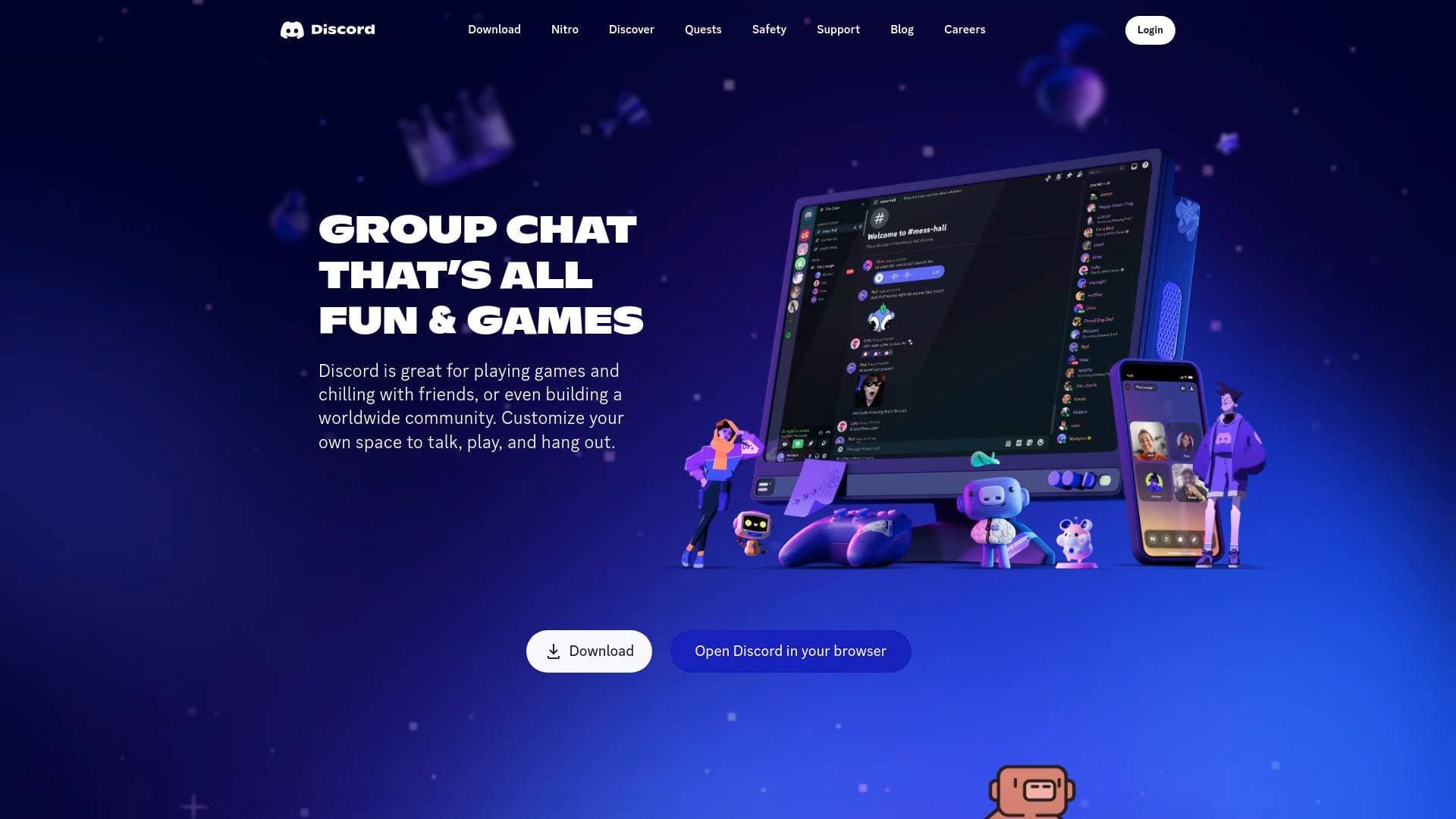
What is Discord? A Content Creator's Guide
Discord is a free communication and community-building platform designed for creators who want a dedicated, customizable space to connect with their audience beyond traditional social media feeds. Rather than relying on algorithmic reach, creators can build their own servers where fans gather to talk, hang out, and engage directly. The platform supports voice, video, and text chat all in one place, making it a versatile hub for any type of creator community. Discord is built around the idea of persistent, always-available spaces where members can drop in and out freely without formal invitations or scheduled calls. For gaming creators especially, the platform offers deep integrations that let community members see what games others are playing and join sessions directly. Whether a creator runs a tight-knit group of 50 fans or a worldwide community of thousands, Discord scales to fit the need. The platform is available across PC, phone, and console, so both creators and their audiences can stay connected regardless of device.
Discord Features That Matter for Content Creators
-
Customizable Servers: Creators can build their own dedicated community space with custom emoji, stickers, soundboard effects, and personalized profiles. Every member can set an avatar, custom status, and write their own profile, giving the community a distinct personality that reflects the creator's brand.
-
Voice and Video Chat with High-Quality Streaming: Discord offers high-quality, low-latency streaming so creators and their communities can watch content together, share screens, or co-stream gameplay as if they were in the same room. This makes watch parties, co-op gaming sessions, and collaborative creative reviews feel genuinely connected rather than distant.
-
Always-On Voice Channels: Unlike scheduled calls or live streams that require formal setup, Discord's voice channels are always open. Fans and collaborators can hop in and out freely, meaning community conversations can flow naturally before, during, and after a creator's content drops or stream ends.
-
Built-In Activities: Discord includes built-in activities that let community members watch videos together, play games, listen to music, or scroll and share memes as a group. This gives creator communities something to do together even when the creator isn't actively producing content, keeping engagement alive around the clock.
-
Friend and Member Status Visibility: Creators and their community members can see who is online, what they're playing, and what they're up to in real time. For supported games, the platform even shows specific modes or characters being played, with the option to join directly.
-
Cross-Platform Availability: Discord works on PC, phone, and console, so creators never lose touch with their community regardless of what device they're on. Switching between devices is smooth, and managing multiple group chats or server channels is straightforward from any platform.
-
Community Discovery Features: Servers can be set as discoverable, allowing new fans to find a creator's community organically. Features like member verification gates, onboarding flows, server guides, and announcement channels help creators manage and welcome new members professionally.
-
Role Subscriptions and Monetization: Discord supports role subscriptions that are available for purchase, giving creators a built-in way to offer tiered community access or exclusive perks directly within their server. This opens a direct monetization channel without needing third-party tools.
-
Soundboard and Expressive Tools: The soundboard feature lets creators and community members add audio effects to voice chats, adding personality and entertainment value to live hangouts. Combined with custom stickers and emoji, these tools help a creator's server feel unique and fun rather than generic.
-
Auto Moderation: Discord includes auto moderation tools, which is critical for creators managing large, active communities. Keeping a server safe and on-topic without constant manual oversight lets creators focus on content rather than policing their chat.
Which Content Creators Should Use Discord?
Discord is particularly well-suited for creators who have an engaged audience and want a dedicated space to deepen that relationship beyond comments sections and social media replies. It works best when a creator wants their community to interact with each other, not just with the creator. Solo creators and creator teams alike can benefit from the platform's flexible structure.
-
Primary creator types: Gaming streamers, YouTubers, podcasters, musicians and music producers, educators, and niche hobby creators all find strong use cases on Discord. The platform's server structure supports communities built around virtually any content vertical.
-
Experience level: Discord is accessible for beginners setting up their first community server, while its deeper customization options, bot integrations, and moderation tools give experienced creators room to build sophisticated community ecosystems.
-
Team size: Solo creators can run a server independently, while creator teams can assign roles and moderation responsibilities to trusted community members or staff.
-
Specific use cases:
- A gaming YouTuber hosting a server where fans coordinate multiplayer sessions and discuss video topics
- A music producer or audio engineer running a community for mixing and mastering feedback, contests, and resources
- A podcaster creating a listener community with dedicated channels for episode discussions
- A streamer keeping their audience engaged between live sessions through always-on voice channels and activities
- A creator offering exclusive community access to paying supporters through role subscriptions
- An educator building a study or interest community where members help each other and share resources
- A creator hosting watch parties or co-viewing sessions with their audience using Discord's streaming features
- A content creator collaborating with other creators or editors in private server channels
-
Content types: Discord supports communities around gaming, music production, education, entertainment, lifestyle, and general interest content. It is platform-agnostic, meaning creators from YouTube, TikTok, Twitch, or any other platform can funnel their audience into a Discord server.
Getting Started with Discord
- Download and create an account: Discord is available for PC (including Linux), mobile, and console. Creating an account is free and takes only a few minutes.
- Set up your server: Create a new server, give it a name, and start customizing it with channels for different topics, voice rooms, and announcement spaces.
- Configure onboarding and moderation: Use the server guide and onboarding prompts to welcome new members, and enable auto moderation to keep the community safe from the start.
- Invite your audience: Share your server invite link across your content platforms to start bringing your existing audience into the space.
- Activate community features: Enable discoverability so new fans can find your server organically, and explore role subscriptions if you want to offer premium community tiers.
Discord FAQ for Content Creators
Is Discord free for content creators to use? Discord is free to download and use. Creators can build and run a server without any upfront cost, though some advanced features like higher audio and video bitrates become available through server boosts from community members.
Can creators make money directly through Discord? Discord supports role subscriptions that are available for purchase, giving creators a built-in way to monetize community access or offer exclusive perks to paying members within their server.
What devices does Discord support? Discord is available on PC, phone, and console, with the ability to switch between devices and manage multiple group chats from any platform.
How does Discord help creators keep their community active when they're not streaming or posting? The always-on voice channels and built-in activities, including watching videos together, playing games, listening to music, and sharing memes, keep community members engaged with each other even when the creator is offline.
Can creators control who joins their server? Discord includes member verification gates, onboarding flows, and auto moderation tools that give creators meaningful control over who enters their community and how new members are welcomed and managed.
What makes Discord different from other community platforms for creators? Discord combines persistent voice channels, text chat, video streaming, built-in activities, and community monetization all in one customizable server, removing the need to stitch together multiple separate tools for community management.
The Verdict: Is Discord Worth It for Content Creators?
Discord is a strong choice for any content creator who wants to build a genuine community rather than just accumulate followers. The combination of always-on voice channels, high-quality streaming, built-in activities, and customizable server spaces gives creators a home base that social media platforms simply cannot replicate. Gaming creators, streamers, musicians, podcasters, and educators all have clear, practical use cases on the platform. The built-in role subscription monetization adds real value for creators looking to diversify their revenue without relying solely on ad income or external membership tools. The main consideration is that Discord communities require active cultivation; the platform rewards creators who show up and engage, not those looking for passive audience growth. For creators ready to invest in their community, Discord delivers a flexible, feature-rich environment that grows alongside them.
Details
One link. Every channel, rate, and piece of work brands need to evaluate you. Built for how creators actually get hired.
Claim your profile
Live creator, content, and marketing roles from real companies, with the pay, market, and context the raw job page never gives you.
Browse jobs Post Bridge
