

Hexo
Hexo is a fast, Node.js-powered blog framework that lets content creators write in Markdown and generate beautiful static sites in seconds.
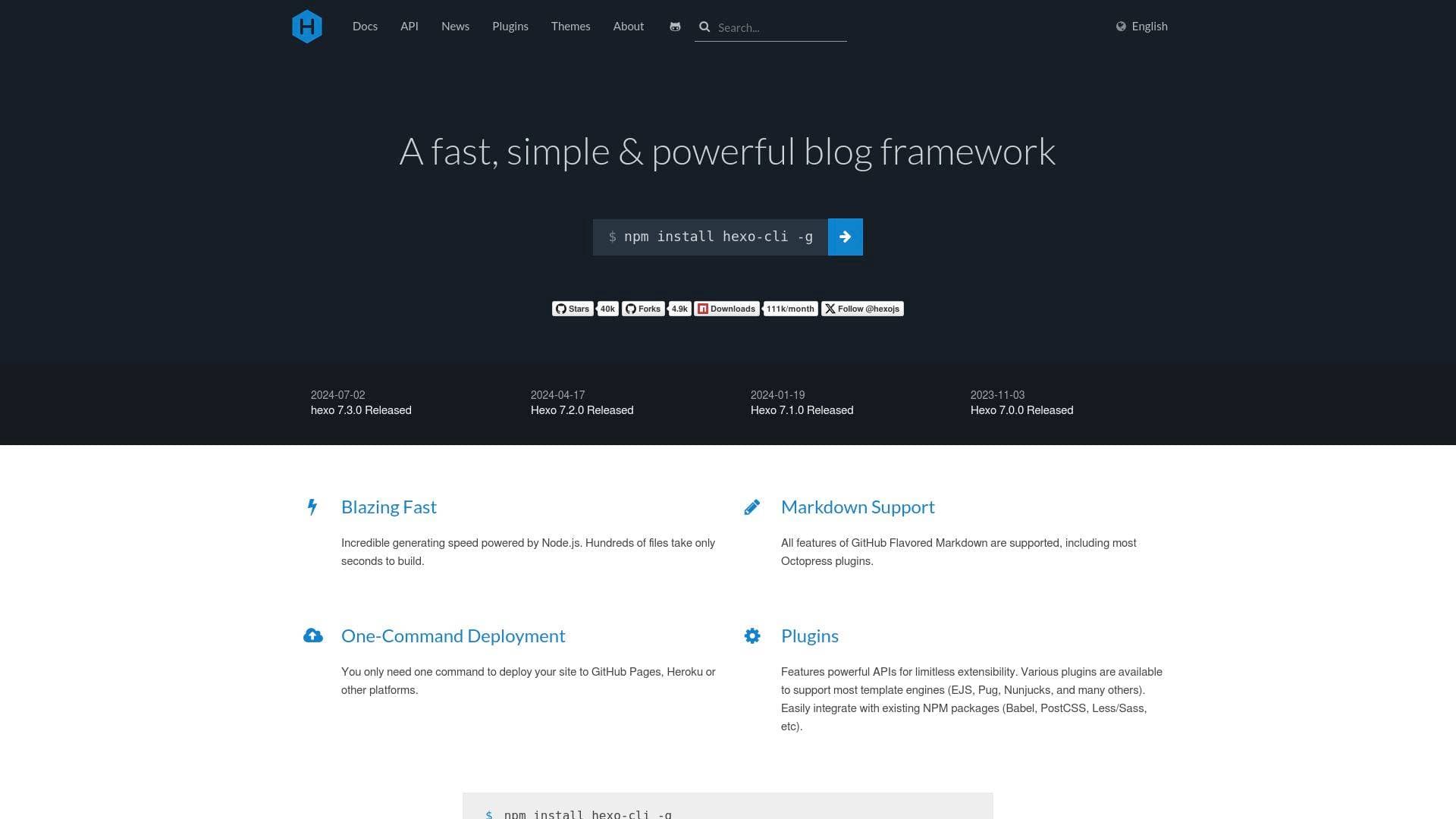
Brief Overview of Hexo for Content Creators
Hexo is a fast, simple, and powerful blog framework built on Node.js, designed to help creators publish content quickly without wrestling with slow, bloated platforms. The core problem it solves is straightforward: bloggers and written content creators need a publishing system that gets out of the way and lets them focus on writing. Rather than managing a database-driven CMS, Hexo generates static files from Markdown posts, producing a complete, deployable website in seconds. The entire content creation workflow centers on writing in Markdown, which means creators spend less time formatting and more time producing. With support for GitHub Flavored Markdown and most Octopress plugins, the writing experience is familiar and flexible. Deployment is reduced to a single command, pushing finished sites directly to GitHub Pages, Heroku, or other platforms. Hexo's plugin architecture and library of over 436 themes give creators significant control over how their content looks and functions. For bloggers, newsletter writers, and written content creators who want full ownership of their publishing stack, Hexo represents a technically capable, creator-first solution.
Hexo Key Features for Content Creators
-
Blazing Fast Static Site Generation: Powered by Node.js, Hexo can build hundreds of files in just seconds. For creators with large content archives, this means no waiting around during the publishing process, even as a blog grows to hundreds of posts.
-
Full GitHub Flavored Markdown Support: Hexo supports all features of GitHub Flavored Markdown, including most Octopress plugins. Bloggers and technical writers who already write in Markdown can drop their content directly into Hexo without reformatting or adapting their workflow.
-
One-Command Deployment: A single command deploys a finished site to GitHub Pages, Heroku, or other platforms. This removes the friction of manual file uploads or complex deployment pipelines, letting creators publish new content fast.
-
Powerful Plugin System: Hexo features a plugin API built for limitless extensibility. Creators can integrate template engines like EJS, Pug, and Nunjucks, as well as existing NPM packages including Babel, PostCSS, Less, and Sass, making it adaptable to a wide range of technical setups.
-
436+ Themes: A large library of spectacular, feature-packed, and customizable themes is available for creators to choose from. For those who want something unique, custom themes can be built using any compatible template engine, giving full creative control over a blog's visual identity.
-
Simple Setup Process: Getting a Hexo blog running takes just five commands: installing the CLI, initializing the blog, navigating to the folder, installing dependencies, and starting the server. The low barrier to entry means creators can go from zero to a running local blog in minutes.
-
Node.js Version Compatibility: Hexo maintains clear version compatibility documentation, with Hexo 8.0+ requiring Node.js 20.19.0 or later. This transparency helps creators avoid environment issues and keeps their publishing setup stable and predictable.
-
Built-in Local Server: Hexo includes a local development server so creators can preview their blog before publishing. The server supports port configuration, allowing it to run alongside other local tools without conflicts.
-
Nunjucks Templating with Escape Support: Hexo uses Nunjucks to parse posts, with built-in support for escaping template syntax using raw tags or backtick code blocks. This matters for technical bloggers who include code samples or template syntax in their writing.
-
Active Development and Release Cycle: Hexo has maintained a consistent release schedule, with version 8.1.0 released in October 2025 and multiple major and minor versions shipped throughout 2024 and 2025. Creators can rely on ongoing improvements and bug fixes rather than a stagnant tool.
Hexo Target Users & Use Cases for Content Creators
Hexo is built for content creators who want full control over their blog without depending on third-party hosted platforms. It suits creators who are comfortable with a command-line workflow and want a fast, lightweight publishing system they own entirely. The tool skews toward technically inclined creators, though the setup process is straightforward enough for motivated beginners.
-
Primary creator types: Bloggers, technical writers, developer-creators, newsletter writers who want a self-hosted archive, and long-form content creators who publish regularly.
-
Experience level: Intermediate to advanced creators comfortable with Node.js, Git, and command-line tools. Beginners willing to follow documentation can also get started successfully.
-
Team size: Primarily suited to solo creators managing their own content, though the Git-based workflow supports collaboration.
-
Specific use cases:
- A blogger building a personal writing archive with hundreds of posts who needs fast build times
- A technical content creator publishing code-heavy tutorials using Markdown and syntax highlighting
- A creator who wants to self-host their blog on GitHub Pages without paying for a CMS subscription
- A newsletter writer who wants a public-facing archive of past issues as a static site
- A creator customizing their blog's look using one of 436+ available themes
- A developer-creator integrating PostCSS, Sass, or Babel into their content publishing workflow
- A blogger deploying content updates to Heroku or GitHub Pages with a single terminal command
- A creator migrating away from a database-driven blog platform to a faster, static alternative
-
Content types: Long-form written posts, technical tutorials, code-heavy articles, personal blogs, and any text-based content written in Markdown or other supported markup languages.
How to Get Started with Hexo
-
Install the Hexo CLI: Run
npm install hexo-cli -gin your terminal to install Hexo globally. This requires Node.js (version 20.19.0 or later for Hexo 8.0+) and Git to be installed on your machine first. -
Initialize your blog: Run
hexo init blogto create a new blog folder, then navigate into it withcd blogand runnpm installto install all dependencies. -
Start the local server: Run
hexo serverto launch a local preview of your blog. From here, creators can write new posts in Markdown, choose a theme from the 436+ available options, and preview everything before deploying. -
Deploy your site: Once ready to publish, a single deployment command pushes the generated static files to GitHub Pages, Heroku, or another supported platform.
Frequently Asked Questions About Hexo
What is Hexo used for? Hexo is a blog framework that generates static websites from Markdown posts. Content creators use it to build and publish fast-loading blogs without relying on database-driven CMS platforms.
Does Hexo support Markdown? Yes, Hexo supports all features of GitHub Flavored Markdown, including most Octopress plugins. This makes it a natural fit for creators already writing in Markdown.
How many themes does Hexo have? Hexo offers over 436 themes that are customizable and feature-packed. Creators can also build their own themes using compatible template engines like EJS, Pug, or Nunjucks.
Where can I deploy a Hexo site? Hexo supports one-command deployment to GitHub Pages, Heroku, and other platforms. The deployment process is designed to be as simple as running a single terminal command.
What version of Node.js does Hexo require? Hexo 8.0+ requires Node.js version 20.19.0 or later. Older versions of Hexo support earlier Node.js versions, with a full compatibility table available in the documentation.
Can I extend Hexo with plugins? Yes, Hexo features a powerful plugin API designed for limitless extensibility. It integrates with NPM packages including Babel, PostCSS, Less, and Sass, and supports multiple template engines.
Is Hexo actively maintained? Hexo has an active release cycle, with version 8.1.0 released in October 2025 and multiple releases throughout 2024 and 2025, indicating ongoing development and support.
Bottom Line: Should Content Creators Choose Hexo?
Hexo is a strong choice for bloggers and written content creators who want a fast, self-hosted publishing platform with full ownership over their content and site. The combination of blazing-fast static site generation, full Markdown support, one-command deployment, and a library of 436+ themes makes it a genuinely capable blogging tool. The main limitation is the technical barrier: Hexo requires Node.js, Git, and comfort with the command line, which puts it out of reach for creators who prefer visual editors or hosted platforms. For technically inclined bloggers, developer-creators, and long-form writers who want speed, flexibility, and complete control over their publishing stack, Hexo delivers a well-maintained, extensible solution that has continued to evolve through 2025.
Details
