

Hostgator
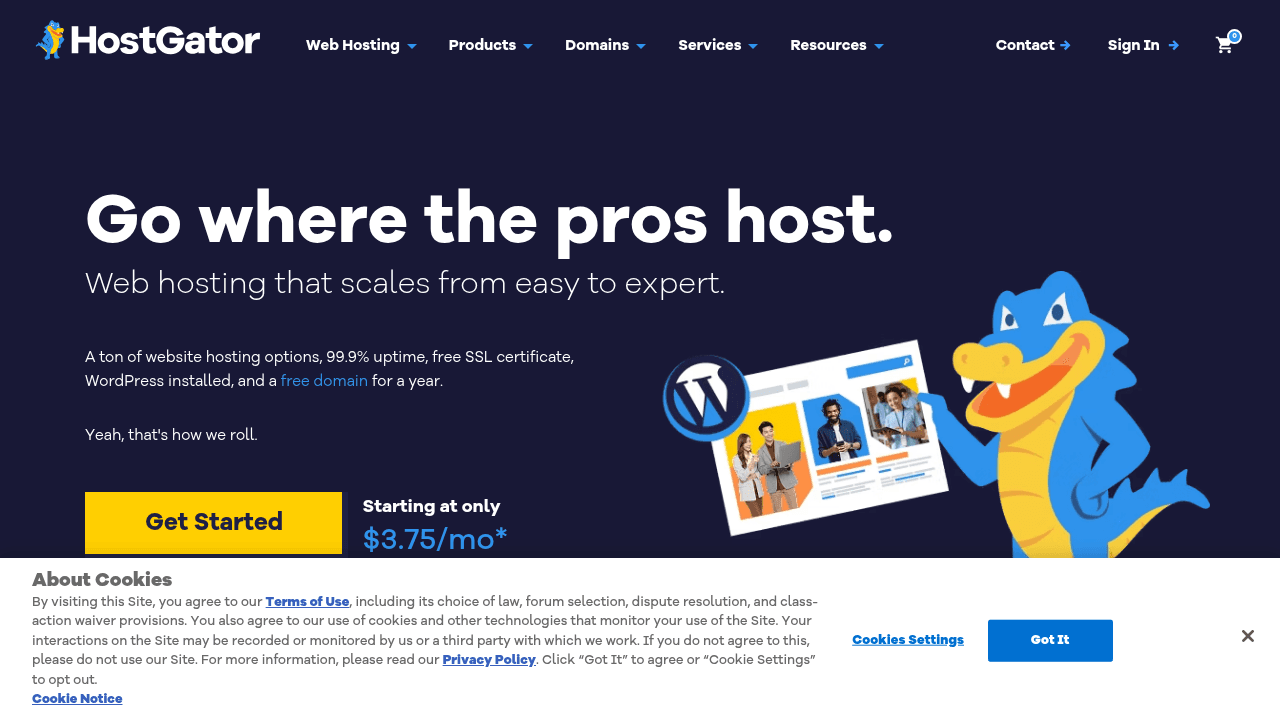
HostGator is a web hosting platform offering scalable plans, WordPress support, free SSL, and built-in SEO tools starting at $3.75/mo for content creators building their online presence.
Brief Overview of HostGator for Content Creators
Every content creator eventually needs a home base on the internet, and HostGator has been providing that foundation since 2002. As a web hosting platform designed to scale from beginner to expert, it solves one of the most persistent problems creators face: getting a professional, secure, and fast website online without needing a technical background. Plans start at just $3.75/month, making it one of the more accessible hosting options for creators who are just launching their first blog, portfolio, or content hub. The platform bundles together hosting, domain registration, WordPress installation, SSL security, and SEO tools into a single ecosystem, so creators can manage everything in one place rather than juggling multiple services. With a 99.9% uptime guarantee, creators can trust that their audience will always be able to reach their content. HostGator currently hosts over 2 million websites, and 30% of its customer base consists of web professionals, which signals that the platform holds up for serious creators as well as newcomers. AI-powered tools, built-in caching, and NVMe drives round out the technical side, ensuring that creator websites load quickly and perform well in search rankings. For bloggers, podcasters, newsletter writers, and YouTubers looking to build a central hub for their content, HostGator offers a structured path from setup to growth.
HostGator Key Features for Content Creators
-
Scalable Hosting Plans: HostGator offers four main shared hosting tiers: Hatchling ($3.75/mo for 1 site, 10 GB SSD, ideal for 40K visits/month), Baby ($4.50/mo for 20 sites, 20 GB SSD, ideal for 50K visits/month), Business ($6.25/mo for 50 sites, 50 GB SSD, ideal for 200K visits/month), and Pro ($13.95/mo for 100 sites, 100 GB SSD, ideal for 400K visits/month). This tiered structure lets creators start small and upgrade as their audience grows, without ever needing to migrate to a completely different provider.
-
Free Domain for the First Year: New creators signing up for a 12, 24, or 36-month plan on Shared, WordPress, or Cloud hosting get their first year of domain registration at no extra cost. This removes one of the initial financial barriers for creators launching their first website.
-
Automatic WordPress Installation and Managed Updates: WordPress is automatically installed on new accounts, and HostGator handles WordPress updates on an ongoing basis. For bloggers and content creators who rely on WordPress as their content management system, this means less time spent on maintenance and more time spent creating.
-
Free SSL Certificate via Let's Encrypt: Every plan includes a free SSL certificate, which encrypts data between a creator's site and their visitors. Beyond security, SSL is a basic requirement for search engine visibility, making this inclusion particularly valuable for creators focused on growing organic traffic.
-
Cloudflare CDN with Argo Routing: All plans include a free Cloudflare CDN integration with Argo Routing, which distributes a creator's website content across a global network for faster load times regardless of where the audience is located. Faster sites mean better user experience and improved search rankings.
-
Built-in Caching and NVMe Drives: HostGator includes both static content caching and object caching across its plans, alongside NVMe drives and updated PHP and MySQL. These performance-focused features help creator websites handle traffic spikes, such as when a video goes viral or a newsletter sends a surge of visitors to a landing page.
-
Free Malware Scanning and DDoS Protection: Security is built into every plan with automated malware scanning, a web application firewall, and DDoS protection. The Business and Pro plans add malware detection and removal, which is critical for creators who run eCommerce stores or collect email subscribers through their site.
-
Yoast SEO Plugin: Every plan includes the Yoast SEO plugin for WordPress at no additional cost. Yoast is one of the most widely used SEO tools for content creators, helping bloggers and writers optimize posts for search engines, manage meta descriptions, and improve overall content discoverability.
-
WordPress Staging Site: All plans include access to a WordPress staging environment, allowing creators to test new designs, plugins, or content layouts before pushing changes live. This is especially useful for creators who regularly update their site and want to avoid breaking anything in front of their audience.
-
Free SEO Checker Tool: HostGator provides a free SEO analysis tool that reviews device performance, search rankings, and website security. It checks for issues like broken links, missing alt text, slow load times, improper header tags, duplicate meta tags, and mobile optimization gaps, then delivers a detailed report with actionable recommendations.
-
Creative Mail for Email Marketing: All plans include Creative Mail, an email marketing tool that integrates directly with WordPress. For newsletter writers and creators building an email list, this provides a built-in way to manage and send campaigns without needing a separate third-party subscription.
-
Google Tag Manager Support: HostGator supports Google Tag Manager installation through both its native Website Builder and WordPress, enabling creators to track audience behavior, set up conversion tracking, and connect Google Ads campaigns to their content hub.
HostGator Target Users & Use Cases for Content Creators
HostGator is built for a wide range of content creators, from those launching their very first website to experienced web professionals managing multiple properties. The tiered plan structure and beginner-friendly tools make it accessible to creators at any stage, while the advanced caching, SSH access, WP-CLI, and staging environments give technically inclined creators the control they need.
- Primary creator types: Bloggers, newsletter writers, podcasters, YouTubers building a content hub, TikTokers launching a personal brand site, and freelance creators managing client websites through the reseller-friendly multi-site plans.
- Experience level: Beginner to advanced. The automatic WordPress installation and one-click app installs lower the barrier for new creators, while SSH, WP-CLI, and staging environments serve more experienced users.
- Team size: Primarily solo creators, though the advanced user permissions and multi-site plans on higher tiers accommodate small creator teams or agencies.
- Specific use cases:
- A blogger launching their first WordPress site and needing a free domain, SSL, and Yoast SEO out of the box
- A podcaster building a media hub to host show notes, episode archives, and a newsletter signup form
- A YouTuber creating a companion website to capture search traffic and grow an email list
- A newsletter writer setting up a subscription landing page with Creative Mail integration
- A TikToker or Instagram creator building a link-in-bio style website with custom branding
- A freelance creator managing multiple client websites under the Baby or Business plan's multi-site allowance
- A creator running an online merchandise or digital product store using WooCommerce on WordPress
- A content creator using the free SEO Checker to audit their existing site and improve search rankings before a major content push
How to Get Started with HostGator
- Choose a plan: Select from Hatchling, Baby, Business, or Pro based on how many websites you need and your expected monthly traffic. The Baby Plan is the recommended starting point for most creators who anticipate running more than one site.
- Register or transfer your domain: Claim a free domain for the first year when signing up for a 12, 24, or 36-month term. If you already have a domain elsewhere, use the free site migration tool to bring your existing WordPress site over.
- Install WordPress: WordPress is automatically installed, so creators can jump straight into setting up their theme, installing the included Yoast SEO plugin, and configuring Creative Mail for email marketing.
- Set up Google Tag Manager: Use the built-in Google Services settings in the HostGator Website Builder or install the Site Kit by Google plugin in WordPress to connect Google Tag Manager and start tracking audience behavior.
- Run the free SEO Checker: Before publishing content, run HostGator's free SEO analysis tool to identify any technical issues with mobile compatibility, security, or search rankings, and address them using the provided recommendations.
Frequently Asked Questions About HostGator
What is the starting price for HostGator hosting? Plans start at $3.75/month for the Hatchling Plan on a 36-month term. This introductory price applies to the first billing cycle only, after which it renews at the regular rate of $10.99/month.
Does HostGator offer a money-back guarantee? Yes, HostGator provides a 30-day money-back guarantee on hosting fees. The guarantee does not apply to domain registration fees, setup fees, monthly term plans, or renewals.
Can creators host multiple websites on one account? Yes, starting with the Baby Plan, creators can host up to 20 websites. The Business Plan supports up to 50 sites, and the Pro Plan supports up to 100 sites, making it practical for creators managing multiple content properties or client projects.
Is WordPress automatically set up on HostGator? Yes, WordPress is automatically installed on new accounts, and HostGator handles ongoing managed WordPress updates. Creators also get access to a WordPress staging site on all plans for testing changes before going live.
Does HostGator include email marketing tools? Yes, Creative Mail is included with all plans and integrates directly with WordPress for managing and sending email campaigns. A Professional Email trial is also available, which auto-renews at $2.99/month after the first billing cycle.
What security features are included? All plans include a free SSL certificate, automated malware scanning, a web application firewall, and DDoS protection. The Business and Pro plans add malware detection and removal, plus free domain privacy for the first year.
Is the HostGator SEO Checker free? Yes, the SEO Checker tool is completely free to use. It analyzes a website for device performance, search rankings, and security, then delivers a detailed report with recommendations for improvement.
Bottom Line: Should Content Creators Choose HostGator?
HostGator is a strong fit for content creators who want a reliable, all-in-one hosting platform that grows alongside their audience. Bloggers will appreciate the automatic WordPress setup, included Yoast SEO plugin, and built-in caching for fast page loads. Newsletter writers and podcasters benefit from Creative Mail and the ability to build a fully custom site without needing to pay for multiple separate tools. Creators managing more than one content property will find real value in the Baby and Business plans, which support up to 20 and 50 websites respectively at affordable introductory rates.
The main limitation to be aware of is that the advertised pricing applies only to the initial billing term. Renewal rates are significantly higher, so creators should factor in the long-term cost when choosing a plan length. Additionally, unmetered bandwidth comes with a fair-use policy that limits resource usage to under 25% of system capacity for extended periods, which may be a consideration for creators with unusually high-traffic spikes.
Overall, HostGator delivers a well-rounded hosting solution with strong security, WordPress-first features, built-in SEO tools, and 24/7 support through phone, live chat, and a comprehensive knowledge base. For creators who want a dependable home base for their content without piecing together a dozen separate services, HostGator offers genuine value at an accessible entry price.
Details
