

Shareafile
ShareFile is a secure document workflow and file sharing software that provides a structured space for client collaboration, data requests, and e-signatures.
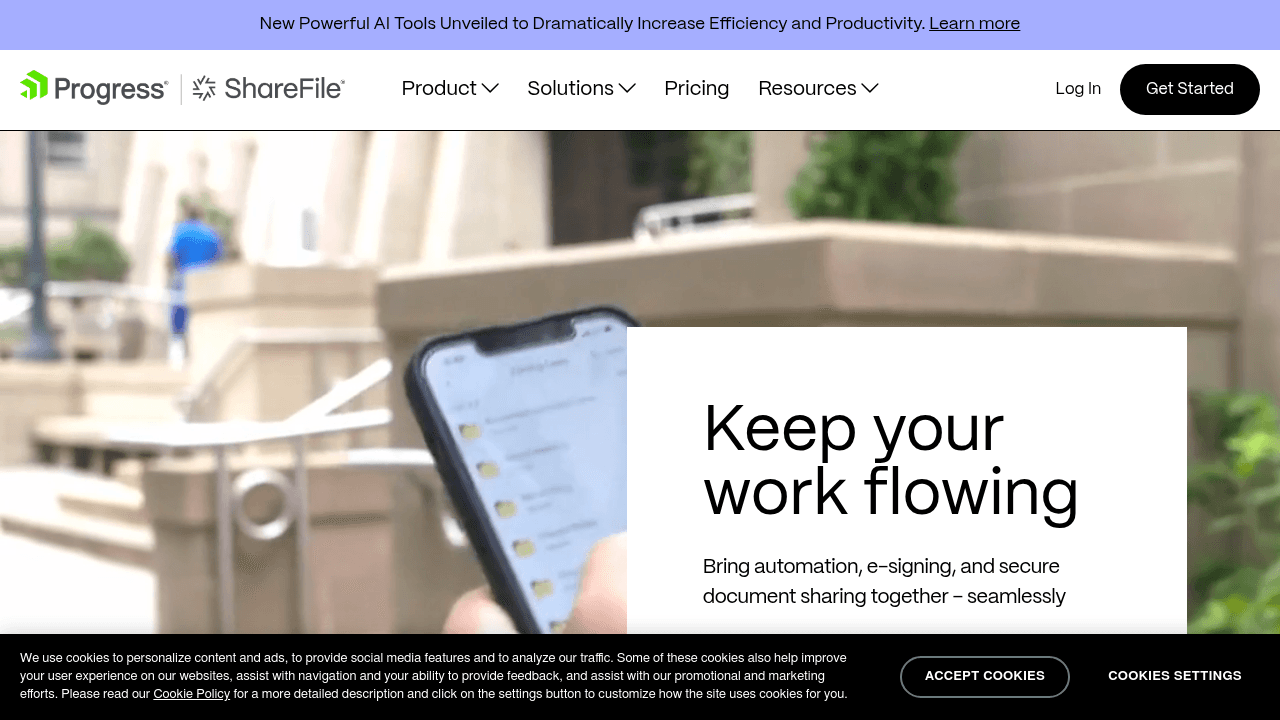
Brief Overview of ShareFile
ShareFile is a secure document workflow and file sharing software designed to move organizations from simple storage to a comprehensive client experience. The platform provides a structured, secure space where internal teams can work with clients to share files, collect legally binding signatures, and manage complex data requests. By centralizing these interactions, it addresses the common problem of the client chase where documents and tasks are scattered across various email threads and siloed tools. The software serves over 90,000 subscribers and 7 million daily users, providing a unified workspace that coordinates files, signatures, and to-dos in one location. This approach optimizes the content creation workflow for professional services by automating document collection and review processes. It is particularly effective for industries requiring high levels of security and regulatory compliance, such as healthcare, finance, and legal sectors.
ShareFile Key Features for Content Creators
-
AI-Powered Document Summarization: This tool allows users to get what they need from documents 96% faster by instantly extracting key details. It eliminates the need for manual analysis of lengthy contracts, proposals, or records, which is a significant productivity gain for senior staff.
-
Branded Client Portals: Organizations can provide a professional experience by customizing portals with company logos and colors. These portals offer clients a dedicated space to access files and complete tasks, and they include unlimited client user access to support large-scale collaboration.
-
Integrated E-Signatures: The software includes built-in capabilities to request and track legally binding signatures. Users can monitor progress and see exactly what is pending, removing the need for third-party signing services and accelerating the completion of agreements.
-
Digital Document Request Lists: This feature accelerates document collection by an average of 3.5x. Users can create structured requests for files and data, providing clients with a clear list of what needs to be submitted to avoid confusion and delays.
-
Dedicated Collaboration Spaces: Work can be managed as Projects within specific spaces that organize files, signatures, and tasks. This helps teams keep track of matter-specific workflows and ensures all stakeholders have access to the most current information.
-
AI-Driven Security Settings: The platform uses AI to automate safer sharing settings for over 34,000 documents per week. This proactive approach reduces the risk of human error when sending and receiving sensitive files, ensuring that only authorized users have access.
-
Mobile App for Clients: Clients can stay updated on the go using the ShareFile for Clients app, available on both Google Play and the Apple Store. This mobile access allows for faster responses and a more flexible client journey.
-
Workflow Automation Templates: Ready-to-go templates are available to automate key processes like client onboarding. These templates help teams get started quickly and ensure consistency across different client interactions.
-
Third-Party Integrations: ShareFile connects with major business tools including Microsoft 365, Google Workspace, QuickBooks, and Salesforce. The Zapier integration further expands these capabilities by connecting the software to over 4,000 other applications.
-
Regulatory Compliance Support: The platform is built to support compliance with strict standards such as HIPAA, SEC, and FINRA. It provides encryption, data access controls, and secure environments for exchanging protected health information (PHI).
ShareFile Target Users & Use Cases
ShareFile is built for client-serving teams that require a balance of high security and operational efficiency. It is ideal for professional service providers who manage large volumes of sensitive documentation and need to maintain a professional, branded interface for their clients.
- Accounting Firms: Accountants use the tool to avoid peak-season overload during tax season. It provides a unified workspace for collecting forms and signatures, which helps manage the high volume of manual requests typical of that period.
- Legal Teams: Law firms utilize the software to coordinate matter-specific workflows. It helps solve the problem of scattered documents and ad-hoc data intake while managing compliance risks associated with legal records.
- Financial Services: Firms in the finance sector use the platform to accelerate client onboarding. By centralizing document collection, they can meet regulatory requirements without slowing down service delivery.
- Healthcare Providers: Healthcare professionals use the secure environment to exchange medical records and PHI. It replaces clunky fax machines and courier services with digital record management that supports HIPAA compliance.
- Insurance Agencies: Insurance teams use the software to simplify claims workflows. It replaces long email chains with secure collaboration spaces for reviewing policies and approving claims data.
- Small to Medium Businesses (SMBs): Smaller organizations use the AI-driven workflows to increase productivity and compete with larger firms by automating their document processes.
Frequently Asked Questions About ShareFile
-
What is the ROI of using AI-powered document workflows? By reducing the time spent on manual document collection and review, businesses can serve more clients and minimize errors. These productivity gains and the ability to automate security settings contribute directly to greater profitability.
-
How easy is it to use the AI-powered automation features? The AI-powered features are designed to simplify work with minimal training required. The interface is intuitive, and 77% of users find the platform to be frustration-free and easy to adopt.
-
Can I override the suggestions made by the AI? Yes, users always maintain full control over their workflows. You can adjust, approve, or override any AI-generated document requests, summaries, or security settings as needed.
-
How does the software protect sensitive documents? ShareFile utilizes built-in security features including encryption, multi-factor user authentication, and strict data access controls. These measures are designed to safeguard files and support various regulatory compliance standards.
-
Does ShareFile integrate with my existing business tools? The platform integrates with Google Workspace, Microsoft 365, QuickBooks, and Salesforce. Additionally, the ShareFile API and Zapier integration allow for connections with thousands of other applications to fit into your existing workflow.
-
Is there a mobile solution for clients? There is a dedicated ShareFile for Clients mobile app available on the Apple Store and Google Play. This allows clients to view active items, submit documents, and track tasks from their mobile devices.
Bottom Line: Should Content Creators Choose ShareFile?
ShareFile is a robust choice for creators and professional teams who prioritize security and client experience in their document management. It is particularly valuable for those who need to collect high volumes of data or signatures and want to eliminate the friction of manual follow-ups. The addition of AI-driven summarization and automated request lists provides a significant advantage for teams handling complex, document-heavy projects. While it is a powerful standalone solution, its ability to integrate with Microsoft 365 and Google Workspace makes it a flexible addition to existing tech stacks. For organizations in regulated industries like healthcare or finance, the built-in compliance support and encryption make it a reliable platform for protecting sensitive client data while maintaining high productivity levels.
Details
One link. Every channel, rate, and piece of work brands need to evaluate you. Built for how creators actually get hired.
Claim your profile
Live creator, content, and marketing roles from real companies, with the pay, market, and context the raw job page never gives you.
Browse jobs

 Post Bridge